Whether you’re looking for a brilliant Pocket substitute or are new to the read-it-later game, these iOS apps will serve your reading needs well.
Now that Pocket, the popular read-it-later service, has shut down, Macworld published a helpful article covering some alternatives. Of all the options they listed, my favorite is by far GoodLinks.
It’s super simple to use. GoodLinks is a universal app that works seamlessly across my iPhone, iPad, and Mac. You don’t even need to create an account to start using it because everything syncs across your devices using iCloud.
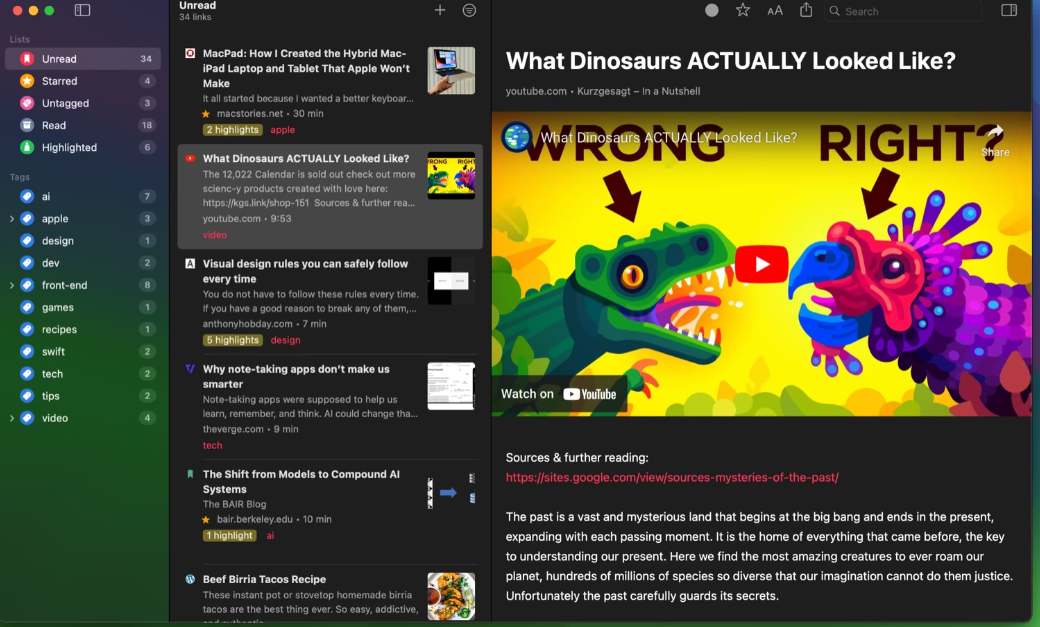
The interface is simple and intuitive, keeping the focus squarely on the article itself. The readability is amazing: clear, clean, and just a pleasure to use.
Once I’ve saved articles to read later, I can organize them into different categories. If I decide to keep an article, I can highlight the parts I’m most interested in and add notes. GoodLinks then shows me just the highlights and notes for each article, making it easy to review key information. It’s fantastic.
The app also offers customization options for light mode, dark mode, and even a sepia theme. While I haven’t explored this yet, it also provides Siri shortcuts, which I plan to check out soon.
If you subscribe to certain publications that have a paywall, you can log into those sites through GoodLinks, so you don’t lose access to the premium content you’re already paying for.
I love that it doesn’t require an account. By design, it’s completely private, meaning GoodLinks doesn’t track which articles you’re reading or collect any of the data that other services typically gather.
Finally, my favorite feature is the fully accessible voiceover support. I can load up an article and have it read to me, which is perfect for multitasking. I love this app and highly recommend it.