Mastodon

Cover to Cover

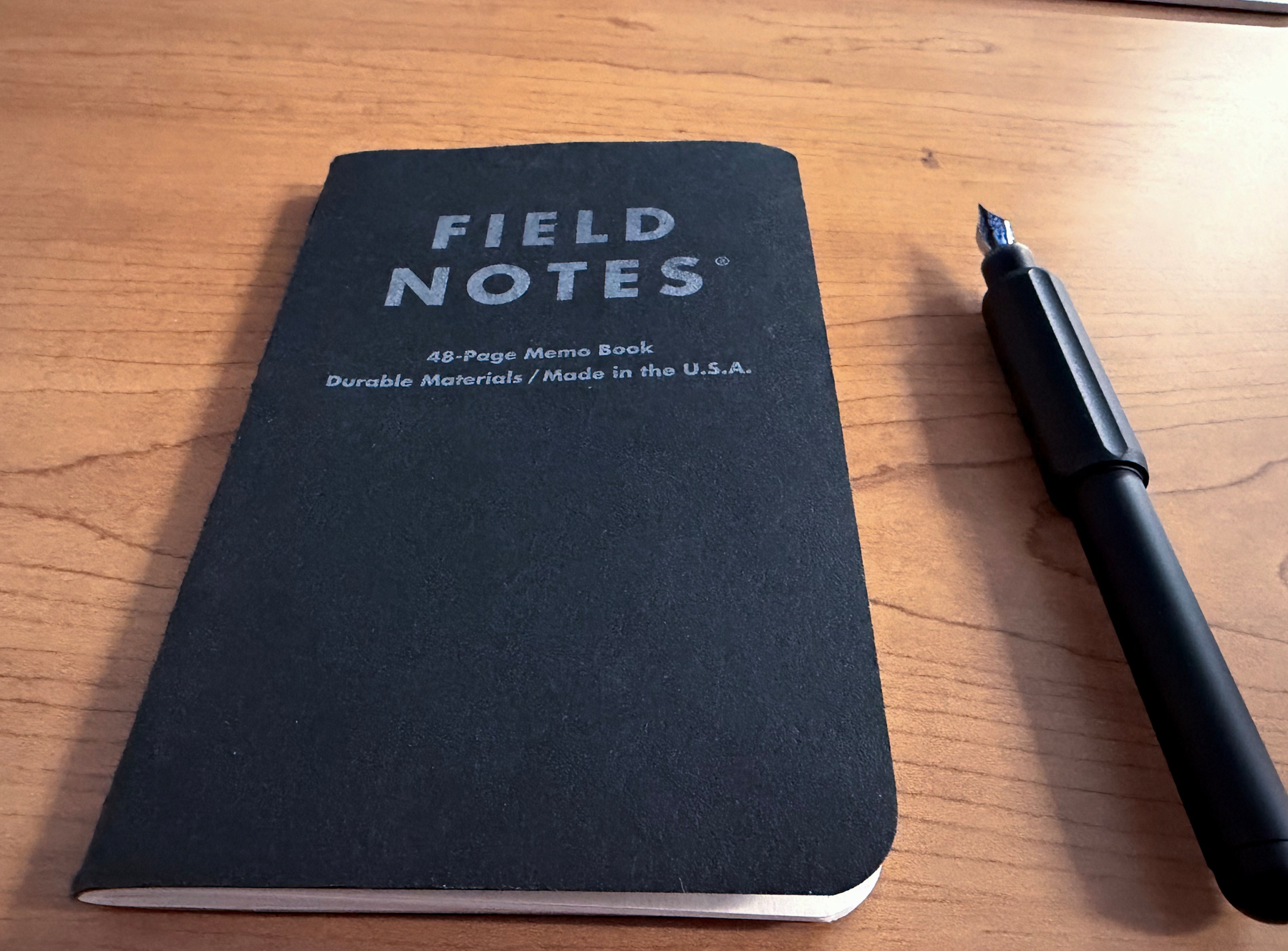
A black Field Notes 48-page memo book lies on a wooden table beside a black fountain pen.

I recently wrote a post about starting to use some old Field Notes I had in a drawer. Well, I just finished my first Field Notes pocket notebook (August 31, 2026 - October 8, 2026) and I’m excited about it. I don’t think I’ve ever filled a notebook from cover to cover. Ever. Sure, they’re thin (just 48 pages), but I’ve written in this one almost every single day. That’s worth celebrating, right?

Why paper?

I’ve come to really enjoy stationery. Notebooks, rollerballs, fountain pens, even pencils. For years before, they were just for fun. I never really used them for anything meaningful. So, my ideas were scattered everywhere. A new app would come out and I’d put some ideas there. Then another app would come out and I’d put some ideas there, too. I tried pulling everything into Apple Notes, with Obsidian for long-term storage. But those lived on my computer, which wasn’t always with me. They were on my phone too, but I didn’t want to pick up my phone. I wanted to take a little break from the screen. I wanted to shake up my routine and carve out some “me” time. The notebook gave me that. It gave me permission to slow down, reflect, and keep all my thoughts in one place.

What goes in it

Right now it’s a “Catch All.” I know some people keep separate notebooks for different things, and maybe I’ll get there. For now, everything goes in:

  • Daily notes (basically a daily log)
  • A food log
  • A tracker in the center spread
  • Printed photos of noteworthy moments from my Canon QX20 portable photo printer.

That tracker, by the way, is… not going well. I start tracking, forget for a few days, then try to remember what happened. Who knows how accurate it is. I put it right in the middle, where the staples are, after seeing the idea in one of Peter McKinnon’s videos. The notebook falls open to that page on its own, which is kind of genius. I might keep tracking things I want to remember, like my weight or blood pressure, but as a simple list instead of shading in a grid.

Writing tiny with low vision

This is where my setup is probably different from most. You’d think someone with low vision would write as big as possible so they could actually see it. Nope. It’s the opposite.

I use an electronic magnifier. I slide my notebook under it, and on the screen my writing looks huge. But look at the actual page and it’s tiny. Even my wife, who has great eyesight, says it’s really small. I love it, though. It looks clean, organized, and a little technical.

Yes, that means I have to sit at my desk in front of the magnifier to write. That’s okay. That’s my time. For quick, temporary notes I use an app called Gravity, and I have other notebooks for scribbling. But over the past few weeks I haven’t needed to write anything on the fly. When I have ideas or things to say about my day, I make time to sit down and write them out in my Field Notes.

I don’t want to call it a routine. It’s more of a ritual. Don’t get me wrong, there are no candles involved. I just sit, slow down, relax, and write. And I really enjoy it. It is the equivalent of taking a deep breath and exhaling slowly.

My favorite pens ✍️

I tried pencils, even the 0.9mm Pentels I love, but they looked too light on the page. These are my two favorites, so far:

  • uni-ball Jetstream 0.38mm: So dark, so bold, and so thin. It’s amazing. I love that pen.
  • Kaweco Brass Sport(fine nib): A touch thick for this notebook, and I wish I’d gotten the extra fine. But I love how it feels and how it writes on this paper. It does produce some bleed through, though.

What surprised me

I started this notebook hoping it would help me slow down. What surprised me is how well that actually worked. It gave me permission, and the chance, to hit pause every day. Now that it’s full, I get to keep it. I’ll store it somewhere so I can look back on it later, instead of having it fade into the digital ether. Maybe my kids or my wife will want to flip through it someday. For now, though, it’s just for me. And I love it.

I’ve already gone back and opened it to random pages, and I’m like, “Oh yeah, that’s what I was thinking that day.” It reminds me of a quote from the writer Jessamyn West: “People who keep journals have life twice.” I don’t think of this as a traditional journal. It’s more of a daily note. Okay, fine, it’s kind of a journal, but cooler 😎.

What’s next

I only had two Field Notes left: the Pitch Black edition I’m using now and one spare. I was afraid I’d run out. So what did I do? I ordered a bunch of cool-looking ones that were still in stock.

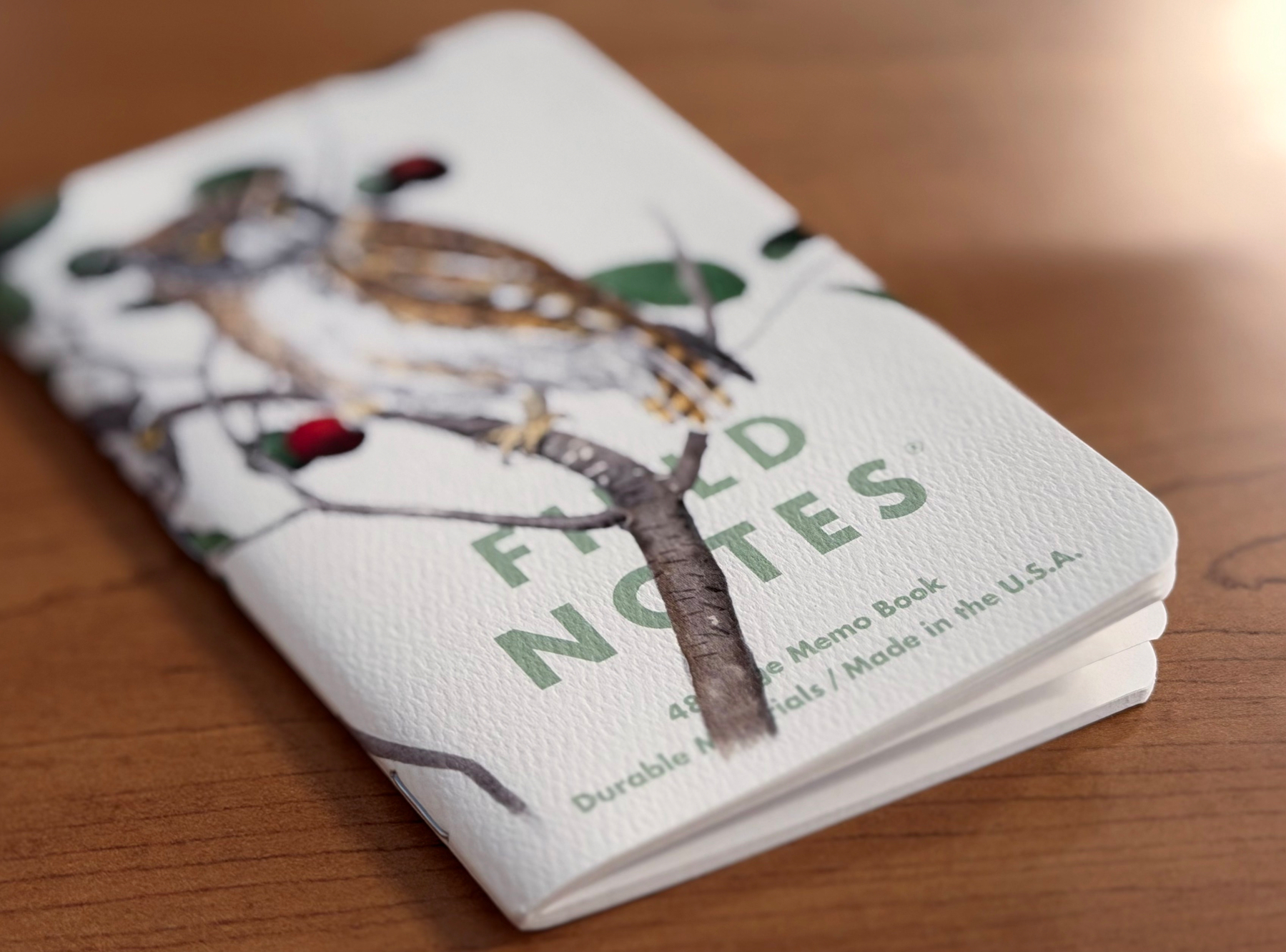
A white Field Notes 48-page memo book with a painted bird perched on a branch with red berries.

Here’s to notebook number two. And three. And four… YesI finished this one, but it is certainly not the end. It is just the beginning of, what I hope, is a life-long habit for me. Let’s see how it goes.

#FieldNotes #Writing

Finished Listening to…: The Odyssey by Homer 📚

Claire Danes did a great job narrating. Once I got past the first few hours of introduction, which were very informative, the book flew. Emily Wilson’s translation was very accessible and fun to listen to. If you are interested in listening to The Odyssey, too, I recommend this version. Going to watch the movie next.

“Wilson’s language is fresh, unpretentious and lean…It is rare to find a translation that is at once so effortlessly easy to read and so rigorously considered.” —Madeline Miller, author of Circe

Back to Basics

A black pen lies next to a partially open Field Notes pocket notebook with a black cover inside a black leather cover.

I have been trying out all sorts of notebooks lately, and honestly, I have loved every single one I have picked. Traveler’s Notebooks in regular size, Midori pocket notebooks, the Plotter Mini 5 in pocket size, and an A5 Leuchtturm. They all have their place. Some live on my nightstand, others stay at my home desk.

The ones I reach for most, unsurprisingly, are the pocket notebooks. They are always with me, or at least far more often than the bigger ones. My Plotter pocket size was one of those, but it tends to live in my bag instead of on me. It has a metal bar along the spine, and I am just not comfortable slipping that into my back pocket and sitting on it. I keep picturing it bend.

So I went back to where I started: the good old Field Notes.

I even dug up a cover I used way back when. This thing has made the rounds through the whole family, from my son to my daughter and back to me. It is small, flexible, thin, and easy to fill up. Best of all, it lets me rotate different cover designs and keep things feeling fresh.

There was just one problem. I only had the black one you see in the photo above, so I started hunting for more options. And of course, I think they all look awesome. So for the first time ever, I subscribed to their quarterly offerings.

Here is what is coming my way:

  • Fall 2026 (not released yet, which is half the fun)
  • Winter 2026
  • Spring 2027
  • Summer 2027

Four surprise packs, one whole year’s worth of anticipation. I have a feeling I will enjoy these a lot more than the plain Jane ones I have used in the past. I can’t wait!

#FieldNotes #Notebooks #Stationery

September 11, 2001 - 25 Years Later

I can’t believe it has been 25 years!

I had just graduated from college in May of 2001 and was still looking for a job. That morning, I was asleep at my parents’ house when my girlfriend at the time, now my wife, called to ask if I had heard anything about a plane crashing into a building. I told her no and immediately turned on the TV.

Smoke was pouring out of the upper floors of the North Tower. I watched as the news anchors tried to make sense of what had just happened. Was it a small plane? A terrible accident? Nobody knew yet.

Then, a little while later, a second plane came in low and hit the South Tower.

That is when everything changed. The first one could have been an accident. The second one meant we were under attack. That was the feeling, collectively, from what I remember. I think the country’s innocence, as we knew it, ended that morning.

My wife was working at a local mall and could not watch the news, but the rumors were rolling in. I tried to keep her posted as best I could, and it got scarier as the hours went by. Everyone was panicking. Someone even called in a bomb threat to the mall, and the whole place was evacuated. I remember being on the phone with her and hearing people crying behind her. One of her coworkers was hysterical, saying over and over that she just needed to go home.

Later, the horror kept coming when a third plane hit the Pentagon. Then, a fourth plane went down in a field in Shanksville, Pennsylvania, after the passengers fought back. Both towers collapsed, one after the other.

All I saw was mayhem on the news, and I could not peel myself away from it. I was not looking forward to any of it, but I felt like I had to watch. Young me felt I had been handed the job of keeping everyone informed, and I took it seriously. As if I were the guardian of the day’s events, and if I walked away, we would miss something. Of course, that is far from reality, but it was the only thing I felt I could do.

I watched for hours on end until I finally got so fatigued with seeing those planes hit those towers over and over that I had to stop. I turned the television off and forced myself to just sit in silence and process my thoughts.

Twenty-five years later, I still cannot watch that footage without feeling like I am a young man again, standing in my bedroom at my parents’ house with the remote in my hand.

Where were you on September 11, 2001? What do you remember like it was yesterday?

#September11 #NeverForget

"There Will Come Soft Rains"

Today is August 5, 2026, The “day after”. I came home from a long, physically exhausting day at work, scrolled through “the socialz,” and everyone was talking about the same thing: Ray Bradbury’s short story “There Will Come Soft Rains.”

Jason Snell pointed out that the irony of setting up Home Assistant in his house today was not lost on him. Then I saw a few more posts referencing the story, and I realized I had no idea what any of them were talking about. So I went looking.

In the version published in The Martian Chronicles, it’s titled “August 2026: There Will Come Soft Rains,” and it follows a fully automated smart house going about its daily routine on August 4, 2026, ending with a lone surviving wall repeating “Today is August 5, 2026” into the ruins. Bradbury borrowed the title from Sara Teasdale’s 1918 poem, written during World War I and the flu pandemic, about how nature would carry on just fine without us.

I found a reading of it by Leonard Nimoy (Yes, that Leonard Nimoy) on YouTube, originally released on Caedmon Records back in 1975. I listened to the whole thing, every depressing second of it. It left me feeling sad because it reminded me that humanity can produce beauty, and yet so often we choose not to.

The scene that stuck with me the most was the side of the house where the paint had been burned away except for five silhouettes: a man mowing the lawn, a woman bending to pick flowers, and two children reaching up toward a ball that never came down. Everyday life, etched in paint and outlined in ash. Cheer, joy, happiness…. a snapshot of their final moments.

At the risk of sounding more pessimistic, remember that tomorrow is promised to no one. Instead of just feeling sad about that, I want to actually do something with it.

  • Live today like it counts, because it might be the only one we get.
  • Enjoy the mundane moments. The dishes, the commute, the small talk. That’s most of life.
  • Make a real, intentional effort to make our own lives better.
  • Then turn around and make someone else’s life better too.

It’s easy to turn on the news and see nothing but gut-wrenching events happening around the world. But we are the reason the good and the bad happen. It’s easy to sit back, do nothing, and let life pass us by, but resist.

The great stuff in life is the hard stuff. If everyone on the planet could throw a 100 mile an hour fastball into the strike zone, nobody would care. It’s impressive precisely because it’s hard and almost nobody can do it.

Every single one of us is good, really good, at something. Go show it off. Make someone’s day.

#RayBradbury #ShortStories

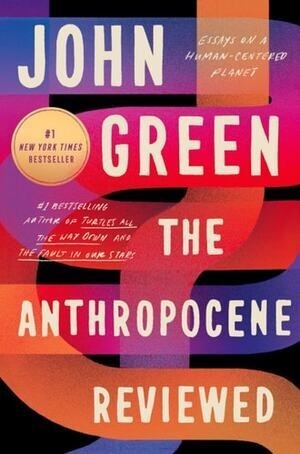
Finished Listening to…: The Anthropocene Reviewed: Essays on a Human-Centered Planet by John Green 📚

This book wasn’t even on my radar until I had to order it for my daughter’s summer reading assignment. It is definitely a stark difference between this book and Joan Didion’s “Slouching Towards Bethlehem: Essays” that I just finished, not too long ago. This book was not all happy, but it was definitely optimistic. Apparently he wrote it during the pandemic in 2020 so I’m guessing it landed like a tall glass of ice water in the desert. There was a lot of nostalgic references here for me. Those, combined with his optimism, made it a real fun listen. I’m glad I picked it up and read it alongside my daughter. It motivated her to read it as well and not just treat it as a school assignment that she had to get over with. 

Finished listening to…: Slouching Towards Bethlehem: Essays by Joan Didion 📚

This was a great book of essays, albeit, not always a happy one. It was a window into times and places that existed long ago, before my time. Didion’s writing is so vivid, that I can still “see” the portrayal of her experiences even after finishing it. The narrator, Maya Hawke, had a lot to do with this, of course.

I enjoyed the whole book, but the essays that resonated with me the most are:

  • On Keeping a Notebook
  • On Self-Respect
  • I Can’t Get That Monster out of My Mind
  • On Morality
  • On Going Home
  • Rock of Ages

#Essays #Books #JoanDidion

My Minimalist Writing Setup

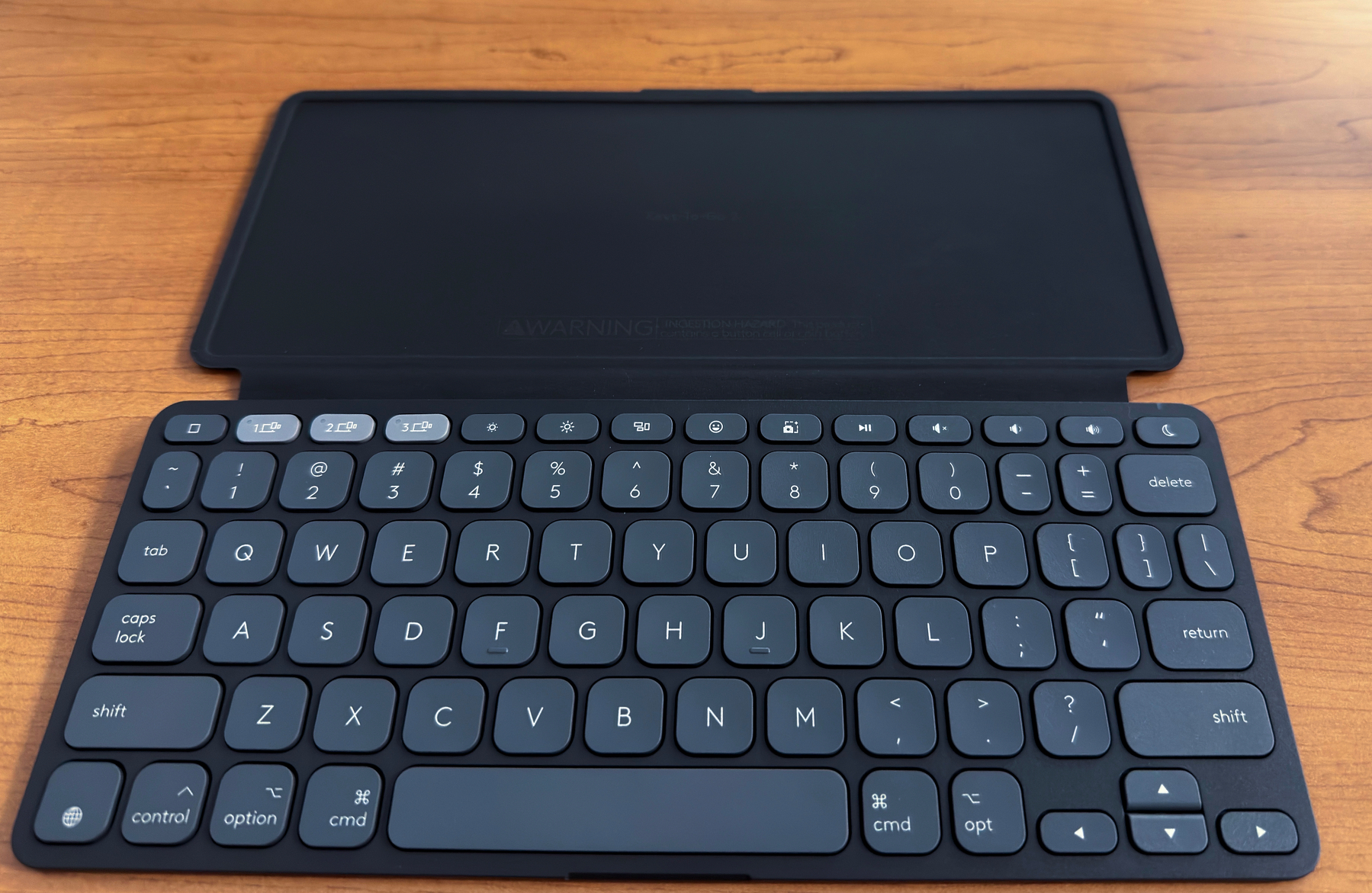
A minimal typing setup featuring a backlit Hexgears compact mechanical keyboard in front of a smartphone displaying a writing app in landscape mode, resting on a pink and red plaid cloth.

Often, my ideas come at random times and places and I need to jot them down before I forget them. I began looking for a quick solution to get my thoughts down, but I can’t use my phone’s on-screen keyboard comfortably for longer writing and I can’t always dictate. I wanted something as minimal as possible. I figured pairing the iPhone I always have with me with a small mechanical keyboard and the iA Writer app might be the way to go.

While exploring my options, I watched a video about the BYOK (Bring Your Own Keyboard) system. The concept is incredibly cool. You connect a wireless or wired keyboard to a dedicated little monochrome screen for a completely distraction-free writing experience.

The BYOK definitely has some attractive features. It is small in size and seems very portable. The screen looks high quality, featuring sharp text and excellent contrast for eye comfort. However, here is why I am sticking with my current iPhone setup:

  • Flawless Syncing: iA Writer lets me sync effortlessly across iCloud or attach a shared folder on my network. I prefer the shared folder route, and since it is hosted on iCloud, I get all those baked-in syncing benefits automatically. If I decide to change apps at any time, all I need to do is point the new app to my shared folder and pick up where I left off.
  • No New Ecosystems: The BYOK offers WiFi and a companion “Studio” app/service to sync your documents. But I strongly prefer keeping my files natively on my own devices and iCloud rather than relying on a separate third-party service transferring manually or saving to a microSD card.
  • Zero Extra Cost: I already own my phone, the app, and the keyboard. They pair together perfectly without the need to buy another piece of hardware.

Sometimes the best productivity tools are the ones we already have right in front of us. I totally understand that niche products carry a premium price tag to cover production, research and development. However, at $200, it is hard for me to justify the purchase. If it were priced closer to the $100 mark, I would probably be more inclined to buy one. Right now, I am happy with the current setup.

🎧 Listen to this post. Audio was generated using ElevenLabs.

#Minimalism #Productivity #iAWriter #iPhone #MechanicalKeyboard

Giving My Blog a Voice

As a visually impaired person, I tend to listen to most of the content I find on the web, whether it’s blog posts or social media entries. As a rule of thumb, I rely on the built-in text-to-speech feature on my iPhone, iPad, and Macs. It’s great in the sense that it lets me “read” almost anything I come across, and it’s reliable. I love it for the freedom it gives me.

That said, it could be better. The voice is pretty robotic, and it takes some getting used to, especially at the higher speeds I tend to listen at. Luckily, I’ve been using it for so long that it doesn’t bother me. Still, I know there are better options out there today. ElevenLabs, for instance, has some fantastic voices. They sound natural and, to my ear, are much more pleasant to listen to.

So I thought… “Why not combine my posts with ElevenLabs and create audio versions?” After playing around for a bit, I did just that. Here’s my current workflow:

  1. Write the first draft as I normally would.
  2. Edit it until it’s just the way I want it.
  3. Run it through ElevenLabs to generate an MP3 file.
  4. Download the file to my computer.
  5. Upload it to my blog host, copy the HTML, and paste it into the post.

It’s a very manual process, and I’m sure someone out there will tell me there’s a faster, smarter way to do this. I’m all ears to constructive criticism if it improves my workflow.

Now anyone who wants to listen to my most recent blog posts can just hit “play” and enjoy, whether they’re visually impaired or simply don’t feel like reading.

My intention was to do this for all of my posts, but I quickly found out that this costs real money. I blew past the token limit on the ElevenLabs free trial and had to upgrade to a paid plan. Right now it’s only a few bucks a month, but even that won’t cover converting every single post. That’s why I’m only able to offer this for the latest ones. I’ll slowly work on converting older posts, but it may take a while.

Again, if anyone knows of a service that offers ElevenLabs-level quality at a more cost-effective price, please leave a comment below. Thanks, and I hope you enjoy the new audio versions.

🎧 Listen to this post. Audio was generated using ElevenLabs.

#Accessibility #ElevenLabs #Blogging

Finished Listening to…: How to Think Like a Roman Emperor: The Stoic Philosophy of Marcus Aurelius by Donald J. Robertson 📚

The audiobook, “How to Think Like a Roman Emperor” by Donald Robertson was narrated by the author himself, which is usually not my preference. However, Robertson did a fantastic job bringing the book’s message and tone to life. He spoke in a slow, clear voice with what I think is a beautiful Scottish accent. It felt like he was talking to me directly, in a dignified and elegant way.

I went in thinking the book was going to be all about Marcus Aurelius, his life, and how he lived. While it did touch on that, it wasn’t the main focus. The philosopher king was more of a framework Robertson used to hang his ideas about Cognitive Behavioral Therapy (CBT) and Stoicism, and how these seemingly modern fields actually have roots that stretch back hundreds, if not thousands, of years. The way of life that Marcus tried to embody is mirrored in many of the disciplines we use today to better ourselves.

There were so many valuable nuggets of wisdom packed into this book, all delivered through a narrative that kept the content moving and made it genuinely enjoyable to listen to. It wasn’t dry or boring at all. On the contrary, it was a pleasure to spend time with each day. All 8 hours and 47 minutes of it. In fact, I was left wanting more when it ended. One of my favorite morsels of wisdom was that “things do not affect us… the judgement of things affect us.”

The book was wonderful through and through, but the last chapter was the best. It was impactful and heartfelt. As soon as I finished, I paused to reflect on what I had just heard, and I wanted to start it all over again. I didn’t, because it was time to move on to something else, but I can definitely see myself revisiting it soon.

🎧 Listen to this post. Audio was generated using ElevenLabs.

#Stoicism #Audiobooks

Follow Me On Mastodon | Buy Me A Coffee