Mastodon

Pay to Pause Service

Starlink Users Will Now Have to Pay $5 to Pause Service

Starlink is ending a popular free feature that let customers pause service at any time for free. Now, you’ll have to pay $5 a month to enter what the company is calling “Standby Mode.”

A few years ago, I was excited when I heard that Starlink was coming to my area. I signed up and waited almost a year on their waiting list before they finally shipped the equipment. This was Starlink Generation 2 with the rectangular dish. The gear was pretty pricey, but I thought the technology was impressive, so I decided to take the risk.

When I first signed up, service was $99 a month, and I was getting a consistent 250 Mbps download speed, which was awesome. It was really competitive with my Comcast connection at the time, and I thought I’d replace my home internet entirely. But then I noticed some limitations—no dedicated IP address, and if I remember correctly, no way to bypass their included router at the time. I could be wrong about that, but I’m pretty sure that was the case.

So I downgraded Starlink from my primary internet to backup internet, then eventually just to camping internet. At that point, it was perfect for our needs. We took it camping to remote areas with no cell signal or other internet options, and Starlink delivered exactly what we needed. I kept the residential subscription, which billed me $100 every month whether I used it or not, but the price seemed reasonable.

Then the pricing started creeping up slowly. If I remember correctly, it went from $99 to around $110 or $120, then kept increasing. I think it’s now up to $150 or $160. The only reason I stuck with it was the ability to pause service at no cost and reactivate it whenever needed—for camping trips, internet outages at home, or hurricane preparation.

But now they’re putting another nail in their coffin because you can no longer pause service for free. They’re now charging $5 a month just for standby mode. In other words, they’re charging me for not using their service. That doesn’t sit right with me. They claim standby mode includes limited data for calls and software updates, capped at around 500 Kbps.

Don’t get me wrong—$5 isn’t a big deal in the grand scheme of things. But it’s the principle of nickel-and-diming customers every way they can. I understand their company exists to make money, but don’t do it at the expense of loyal customers who’ve been with you for years. Honestly, I think they should have grandfathered early users like me into the original $99 plan instead of nearly doubling the price just a few years later.

Right now, I still have Starlink as part of my camping and emergency preparedness gear. But if pricing keeps climbing and wireless carriers continue expanding coverage, I’ll definitely reconsider. As soon as I see a viable alternative, I might jump ship. We’ll see if Starlink can earn the right to keep me as a customer.

Apple’s first Mac with 5G cellular might be coming sooner than we thought

Rumors have long indicated Apple intends to bring cellular connectivity to the Mac, but a new report indicates the first cellular Mac might be right around the corner: the M5 MacBook Pro.

I know these are only rumors at this point, so take everything with a grain of salt—but man, I would jump on a 5G-enabled Mac in a heartbeat! I absolutely love my M4 iPad Pro with 5G as it stands now, and I would be thrilled to have an always-connected MacBook Pro (or MacBook Air).

Come on, Apple… make it happen already!

Apple’s new Siri may allow users to operate apps just using voice | TechCrunch

Bloomberg reported that if this new version of Siri and App Intents works well, a user would be able to ask Siri to search for a photo, edit it, and send it to someone; post comments on a social app; or log in to a service.

If so, it could be a significant boost for people with disabilities—especially those with visual impairments or mobility limitations. Apple has often been at the forefront of accessibility, which is great to see.

Building An iOS App With Only ChatGPT 5

Stephen Robles, one of my favorite YouTubers with no programming background, recently used ChatGPT 5 to create and successfully publish an iOS app to the App Store. Here’s how it went down:

  • Built the entire app using AI-generated code
  • Got rejected by Apple on first submission
  • Used GPT again to analyze and fix the rejection issues
  • Resubmitted and got approved

While Robles admits this was more of a proof-of-concept than a fully-featured app, the fact that he pulled it off is pretty impressive. Apparently, some developers weren’t too happy about his approach, though.

I would love to know what you guys think, especially you professional developers out there. Could this “AI-assisted coding” approach actually produce useful apps with real functionality, or will they always be limited to simple proof-of-concept projects? What dangers, if any, do you foresee when non-developers create apps in this manner? Let me know below.

Kagi Privacy Pass

Want your searches to be even more private? Use Kagi Privacy Pass. This feature is available for Professional, Ultimate, Family and Teams subscribers. Read below for a quick overview of it’s features, pros and cons of the feature.

Key Features

  • Token-based authentication system that verifies subscription status without identity disclosure
  • Complete search session isolation - no cross-search tracking or profiling possible
  • Anonymous search capability while maintaining premium Kagi search quality
  • Enhanced privacy layer beyond standard search anonymization

Pros

  • Eliminates all personal data collection during search sessions
  • Prevents behavioral profiling and search pattern analysis
  • Ideal for sensitive research and confidential work
  • Maintains high-quality search results without identity compromise
  • Provides genuine anonymity rather than just privacy settings

Cons

  • Disables personalized search features and customizations
  • Removes access to user-configured bangs and lenses
  • Eliminates tailored search result preferences
  • Requires choosing between personalization and complete anonymity
  • May reduce search efficiency for users who rely on custom settings

Kagi Shortcuts

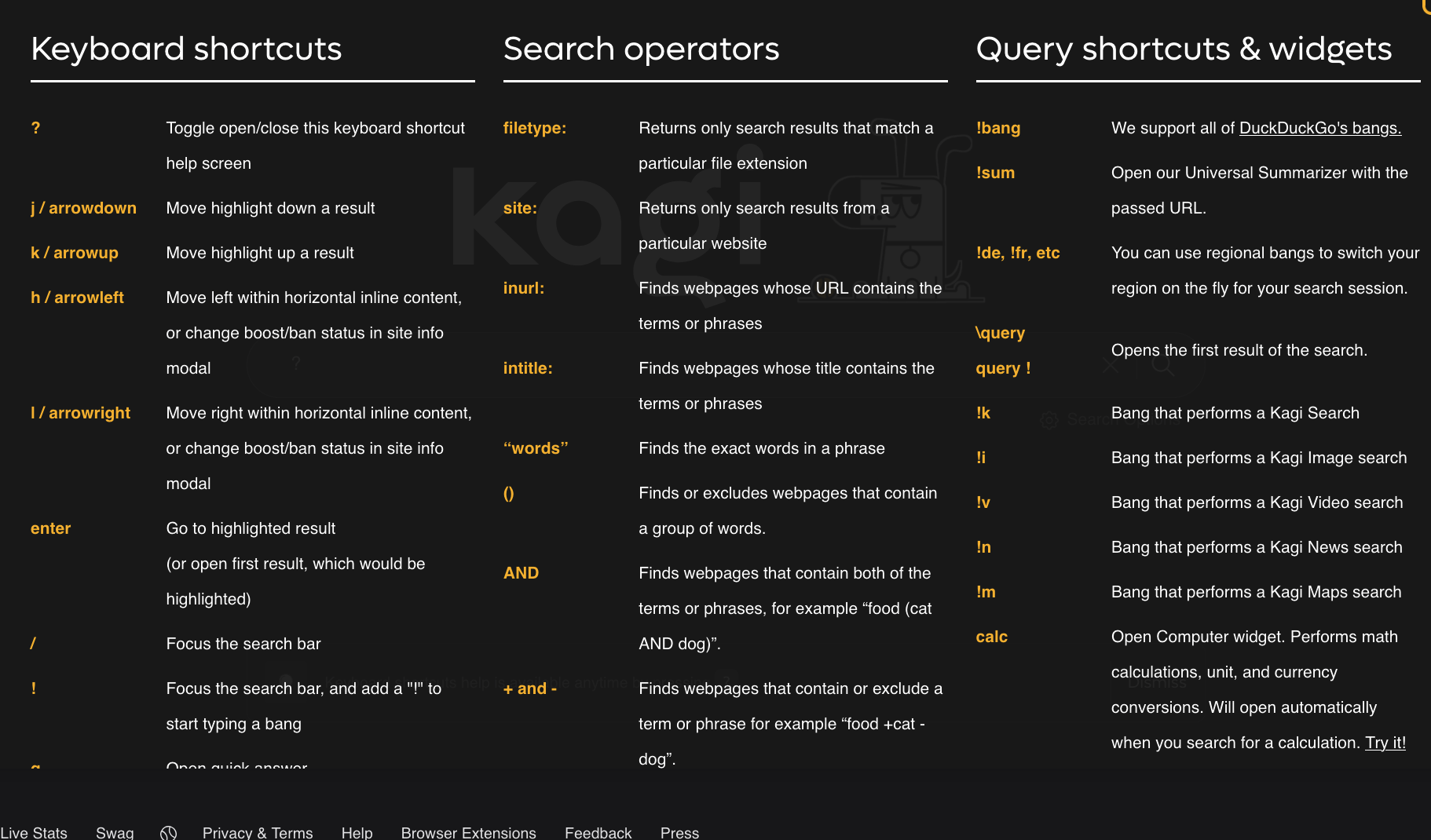
I moved to Kagi as my default search/AI engine a few days ago and I am still finding out new ways to use it better. So much fun! If you are one of those users (like me) that likes to keep their hands on the keyboard instead of moving over to a mouse/trackpad to do things, then check out all of the keyboard shortcuts it offers right on the browser… any desktop browser. Not sure about iOS. I know they have a Kagi app for Android that may have all of these capabilities, but the iOS app is forthcoming.

It does not stop there, either. Check out their Search Operators and Query Shortcuts & Widgets, too. If you want to try it yourself, I recommend starting off with the free 100 search trial to see if it is a good fit for you. Don’t subscribe unless you are really sure it is going to be worthwhile.

Ottis

The “official greeter” at a small vinyl record store in downtown Augusta, Georgia.

A large white dog with distinctive dark spots is lying on a leather couch next to a person.

Privacy Is Not Free (and maybe it shouldn't be?)

Note: This post was originally published on August 10, 2025. Due to technical issues, it was deleted and I am publishing it again today.

We all like free stuff, but maybe we shouldn’t. Like many people, I loved gmail and google search when it first came out and used it for years. Then, a few years ago, I stopped to think about why these great products were free. What’s the catch? Well, I was. I agreed to use their products for free and in exchange, they took my usage history, search queries, and don’t forget cross site tracking, I’m sure. Then, sold it to whomever they chose to after building a nice Doug profile package.

First, I dropped gmail and went to a paid email service and it felt good. Great customer service and lots of features, like rules, folders, easy import from other services, DNS management, etc. Anyway, I switched over to them and couldn’t be happier. I still stuck with GOogle search.

A couple of years after that, I started considering the privacy of my searches. Not that I search for anything nefarious. Mainly things like user manuals, device drivers, reference to making ethernet cables, and other boring stuff. Things that many of us may search for on a regular basis. Either way, it is no one’s business but my own. So, I played around with SearxNG and self-hosted it as well as put it up in the cloud. I tried it both ways, but ended up just preferring it locally. Overall, it was pretty good, but Google and other search engines still seemed to provide more relevant results.

Recently, Google search results have been abysmal for most things I search. They try to make it convenient and give you everything right up front, but I just want links to go to and pick and choose the information I am looking for. It is supposed to be a “search” engine, after all. Not an answer engine, right? If I want quick answers, then I use one of the many AI companies out there or one of the open source local models I have downloaded in LM Studio. This nudged me to go hunting for something better. Something that would give me good results for what I was looking for and had privacy at its core. That turned out to be Kagi for me. Kagi gives me the great search results, control over the results it provides, a beautiful clean interface, and so much more. Not to mention their AI Assistant that lets you choose from a lot of the major models like ChatGPT, Claude, and Mistral, among others. I am new to it, so I am not an expert, but I do know that it is not just hype. They seem to deliver what they promise, so far.

It doesn’t seem like I am the only one that feels like this, either. Check out some others below.

There’s an (oversimplified) axiom that if a good or service (like Google search, for example, or good ol’ Facebook) is free for you to use, it’s because you’re the product, not the customer. With Google, you pay with your attention, your behavioral metrics, and the intimate personal details of your wants and hopes and dreams (and the contents of your emails and other electronic communications–Google’s got most of that, too).

audiobookshelf

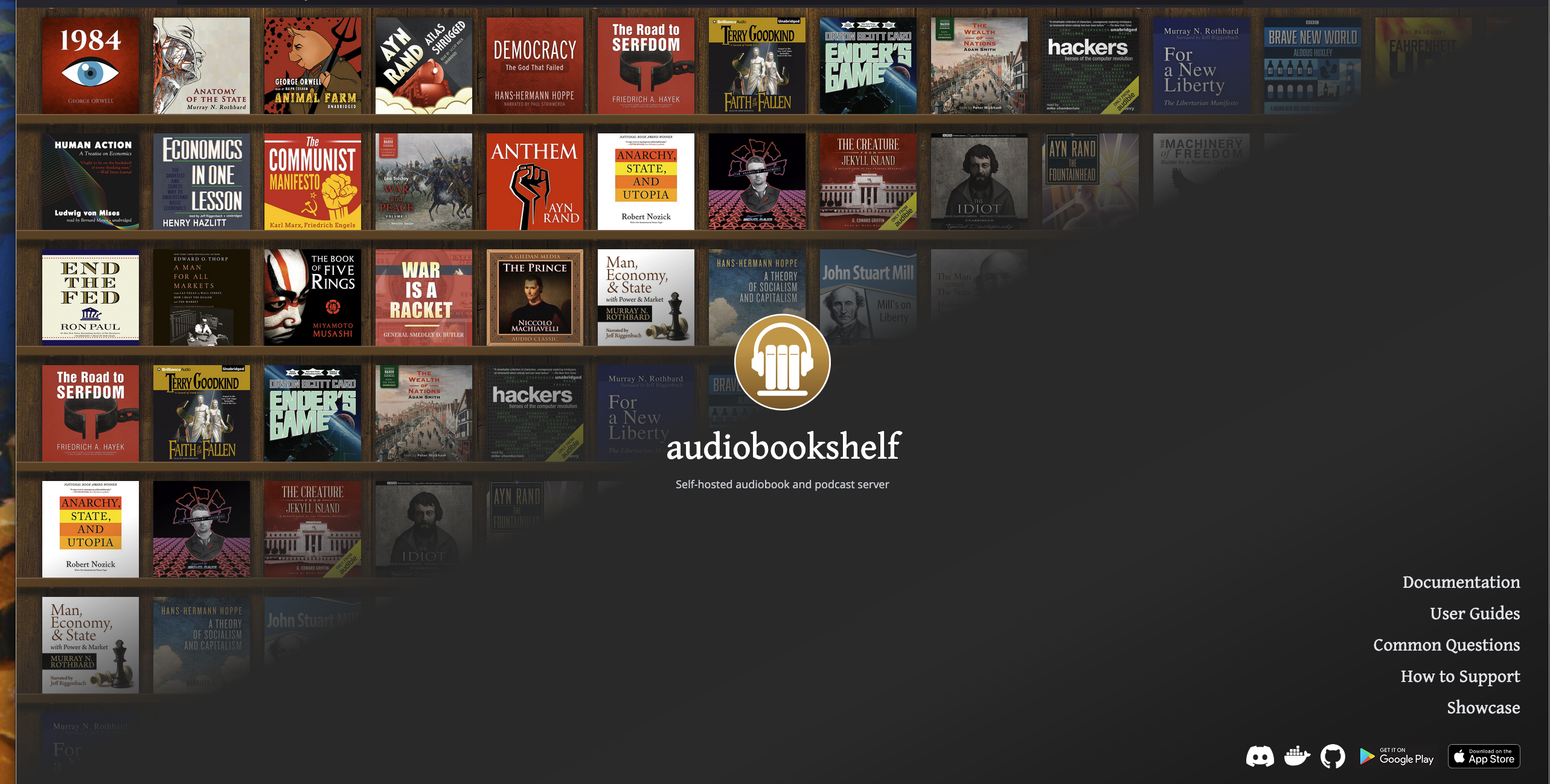
If you are lucky enough to own all of your audio books in a DRM-Free format, you should really try out audiobookshelf. You will not be disappointed.

If you have already tried it and are using it, chime in and tell us what you think of it, what you like and dislike about it and any tips and best practices for new users.

Follow Me On Mastodon | Buy Me A Coffee