Mastodon

Made With Love

My wife makes the best pumpkin pies with real pumpkins. None of that canned stuff here. She’s been making them with love for years and has perfected her recipe so much that she gets requests from our teenagers, their friends, and of course, the rest of our family. They’re always a hit, and people have come to expect them. Every year they grow in popularity and in taste. The most recent batch of six was made last night and has already been spoken for. I know she’s reserving one for Thanksgiving dinner and the other just for us šŸ˜‰.

Today is the last day we have to get ready for a big crowd coming over for Thanksgiving on Thursday. All the cleaning, cooking, and preparations are worth it a million times over to spend time with the people who matter most to us.

I hope you’re preparing for a good time on Thanksgiving as well. Wishing you the happiest of times with family, friends, and loved ones.

The Right Choice

You know you have chosen the right company (and community) when they make it easy for you to take your data with you, should you ever decide to move on from their platform. I am so happy at Micro.blog that I don’t foresee leaving anytime soon, but is refreshing to know that they got my back.

I thank @Manton and the rest of his team for making this little corner of the web so special. Please keep up the good work. We love you guys and appreciate you.

Two Small Updates That Make a Big Difference

Two essential accessibility tools for us visually impaired computer users are the magnifier and text-to-speech. Personally, I use the Magnifier/zoom feature to navigate around, but I lean heavily on text-to-speech when “reading” anything on websites, PDFs, or other documents. Both Windows and macOS offer these tools, and they’re virtually the same across platforms.

I’ve had an easier time using them on macOS because I use a trackpad where a three-finger swipe combination zooms the screen in and out. This is very smooth, and I can control it precisely. Windows, on the other hand, relies on keyboard shortcuts to enable the Magnifier. You typically press the Windows key and the plus key to zoom in or the minus key to zoom out. The problem? It’s very clunky. I’ve always had to press the Windows key and repeatedly tap the plus or minus key to reach my desired zoom level. A workaround was to get a configurable mouse like the MX Master series and map the mouse keys to zoom in and out more easily. Well, apparently one of the latest Windows 11 updates has changed this.

Most of us have a preferred zoom level we like to work at comfortably, but we do need to zoom out occasionally to get our bearings. In the past, it was especially annoying to repeatedly press a key to zoom out in steps. This new update apparently allows you to press Control + Tab, then use the plus or minus keys to zoom in and out very quickly. You zoom in to whatever level you want, then press the key combination to zoom out all at once with the minus key or return to your zoom level by pressing the plus key.

The other improvement involves the text-to-speech voices. If you’ve ever heard anyone use text-to-speech or use it yourself, you know the voices tend to be pretty robotic. I have to say, they are getting better, especially if you’ve been using these voices for a while. They were horrible before and are pretty good now, although they still don’t sound completely natural. Well, Microsoft, along with other companies, has started working on that. In this Windows 11 update, there are new voices that sound more natural and are more comfortable to listen to, especially for the longer articles you might come across.

This YouTube video below, by The Blind Life, walks through both of these updates in more detail. If you or someone you know uses these features and would benefit from watching it, please share.

#Accessibility #AssistiveTech

Your Old Pennies Just Became More Valuable

Pennies With Purpose: Smart and Simple Ways to Use the Disappearing Coin

with the discontinuation of penny production, some brick-and-mortar businesses across the country have been unable to give back exact change because they lack sufficient pennies, if any at all.

The other day, I published a post on the end of the US penny. In that post, one of the things I was wondering was what would happen to the penny. Would it just disappear and be forgotten? No! On the contrary, it has become a sought-after item. Stores want you to dig through those couch cushions and find all the pennies you can. In fact, they make it worth your while if you bring them in. Some stores even offer you twice the value of the penny in store vouchers.

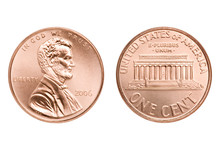
That’s not all, though. Collectors are looking for those rare gems too.Not to mention the trivia the penny brings with it. For example, did you know that it costs about 3.7 cents to make a penny?That’s one of the main reasons it’s being discontinued. Or, the fact that President Lincoln is the only “head” on a coin that faces right. Another favorite mentioned in the article above is that pennies land on “heads” about 80% of the time because Lincoln’s head protrudes so much from the face of the coin.

All of these cool things are going to make me miss the penny even more, I think.

One Ham’s Evolution from Frequency Hoarder to Smart Programmer

I was programming another set of Baofeng UV-5R Mini radios I picked up during a “Black Friday” sale on Amazon, and it got me thinking about how I’ve evolved my approach to setting up these handhelds over the years. These aren’t my primary radios, but ones I keep them in our vehicles, toss one into our hurricane preparedness kit, or hand them out to family and friends when we need reliable short-range communication.

For a long time, I used to program my radios based on generic frequency lists I found online or by copying what other operators had stored. Back then, as a new ham, I just wanted to fill every memory channel ā€œjust in caseā€ I needed it someday. But after years of experience and countless unused channels, I realized that strategy wasn’t a very good one. So I started streamlining my approach.

First, I looked up all the local repeaters in my area and tested which ones I could actually reach from my most common locations. Then I began adding more purpose-driven frequencies, like those used by SARnet, a network of linked UHF repeaters that spans the state. These are especially valuable before, during, and after emergencies, allowing us to check in across long distances when normal comms might be down.

My programming plan has gone through many iterations and continues to evolve. Things get added, edited, or deleted as our needs change. It’s very much a living system.

Here’s my current strategy for organizing channels on these radios:

Simplex Frequencies
I separate these into two main groups: VHF and UHF. Within each, I include the standard calling frequencies (146.520 MHz on 2 meters and 446.000 MHz on 70cm), the ADVENTURE Frequency for outdoor trips, and any simplex channels regularly used by family and friends.

Local Repeaters
This section includes the repeaters in my immediate area, sorted by how often I use them.

SARnet Repeaters
These are linked UHF repeaters that operate on a statewide microwave network. Most are active and monitored during drills and major events, like hurricanes, floods, etc.

NOAA Weather Frequencies
Most modern radios include weather alert features, but I still manually program the seven standard NOAA frequencies between 162.400 and 162.550 MHz. Having them on standby means I won’t miss critical weather updates, especially during hurricane season.

Fire Department Channels
My local fire department transmits in the clear, so I’ve programmed those frequencies into my radio in receive-only mode. This helps with situational awareness during emergencies — and even during daily commutes.

Local Schools
Some nearby schools also use open radio systems for internal coordination. Monitoring them (again, receive-only) helps me stay aware of drills, closures, or unexpected events that might affect traffic.

If you’re building your own communication plan, two resources stand out: Repeater Book and Radio Reference.

  • RepeaterBook.com is a crowd-sourced, up-to-date database of amateur radio repeaters across the U.S., Canada, and Mexico. It’s great for finding local repeaters, including their frequencies, offsets, and tones.
  • RadioReference.com Perfect for exploring local public service communications — police, fire, EMS, schools, and more. It’s a go-to for situational awareness, though remember: listen only, never transmit.

Both of these, along with a few years under my belt, have helped me create a smarter, more practical setup. Instead of cluttering my radios with unused channels, I now focus on what’s relevant and reliable when it counts.

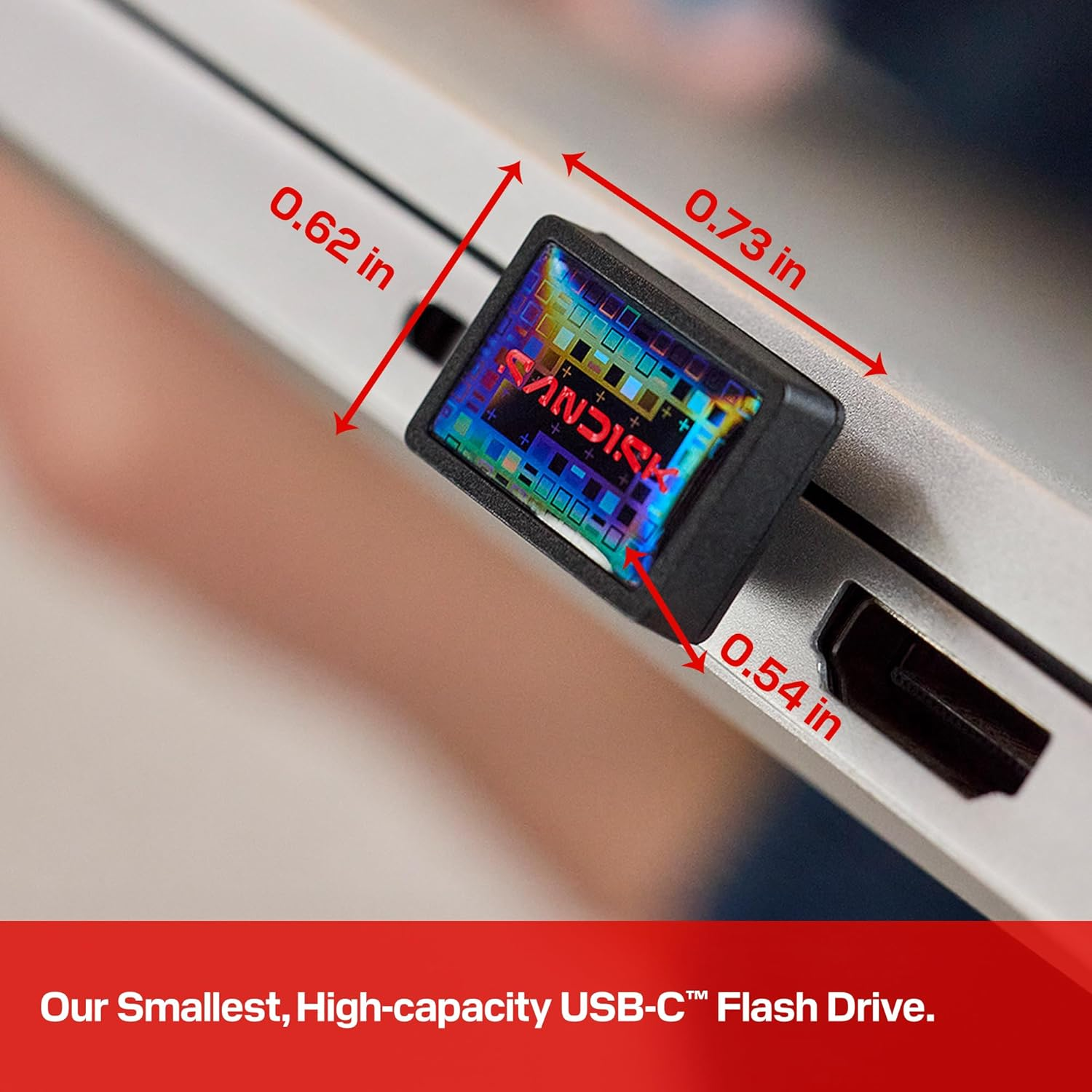
SANDISK 1TB Extreme Fit USB-C Flash Drive

Photo from [Amazon.com](https://amazon.com)
Sandisk’s new 1TB USB-C drive is so small you never need to take it out

Sandisk has released what it says is the world’s smallest 1TB USB-C flash drive, one tiny enough to plug into a laptop and never take out.

This sounds like a great idea, but I’ll pass on leaving it connected at all times. Even though the device is small, it looks like a huge lever waiting to be pulled downward and break my USB-C port. On the other hand, I can see the convenience of having it in my bag to carry large files, like movies, with me wherever I go for use on both my MacBook and my iPad. I can see myself using it as a backup for my photos when I travel, too. Although, being this small, it makes it much easier to misplace or lose altogether.

Follow Me On Mastodon | Buy Me A Coffee