Mastodon

Posts in "tech"

Digg Daily

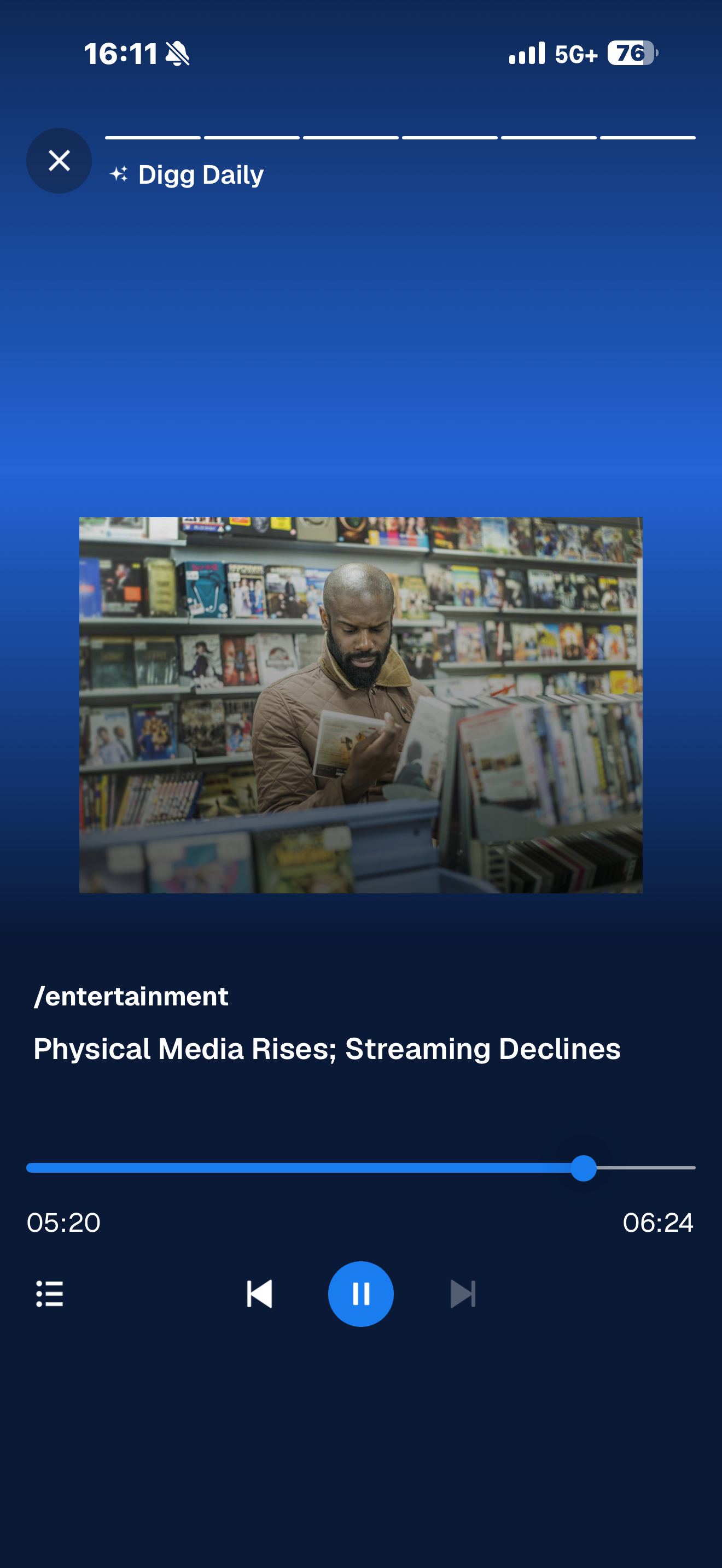
One of the features I’m enjoying on the new Digg is Digg Daily. It’s essentially an AI-generated summary of the latest posts, news, and comments being shared and discussed on the platform. Not only does it tell you what each article is about, but it also highlights the comments users are posting. All of this is delivered in audio format between two AI hosts.

If you’ve used Google’s NotebookLM and had it create an audio digest, then you know exactly what I’m talking about. It’s basically a male and female AI-generated voice giving you the highlights of what’s trending on Digg at the moment. It’s pretty shallow, but it’s meant to be just that: a quick audio podcast of sorts to catch you up on the latest happenings on Digg. I like it, and I think it’s pretty cool.

I tried it this morning, and then I tried it again later in the evening, and it was the same content. So it really is a daily digest. It’s not updated throughout the day like some other services might be.

New Digg

Years ago, I was an avid Digg user. Then it went away. After people learned to game the system, it became garbage for all practical purposes. I’m glad to say I finally got an invite to end the wait.

I signed up for the new Digg service yesterday. It’s still in beta (a closed beta at that), but it has a more modern and polished feel to the UI. The community seems to be picking up where it left off years ago. I have high hopes for it. I signed up right away and posted my obligatory “Hello world!” first post yesterday.

From the quick look I’ve had so far, it seems people are happy to be back, and they like the design because it’s nice and clean. I’ve seen two concerns emerge so far.

First, how is Digg going to verify that you’re 18 years or older? Right now, it’s just a button you click that says you are, in fact, 18 years or older. There’s no actual verification. The other concern is the infusion of AI into the system. Some people are wary, and others just plain don’t like it at all.

Let’s see how it evolves. It’s early days still, and they admit it. They want feedback, and they want people to “pick up a shovel and start building this thing.”

Pause Media When Falling Asleep

iOS 26 gave AirPods Pro a new setting you might want to turn on - 9to5Mac

Sleep detection in iOS 26 pauses AirPods playback when you fall asleep

I love my AirPods. I use them occasionally throughout the day, but every night for sure. I like to listen to podcasts and audiobooks right before I fall asleep. Usually, I set a timer in case I drift off without noticing. However, sometimes I forget to set it, or I want to listen just a bit longer and end up falling asleep without stopping the audio.

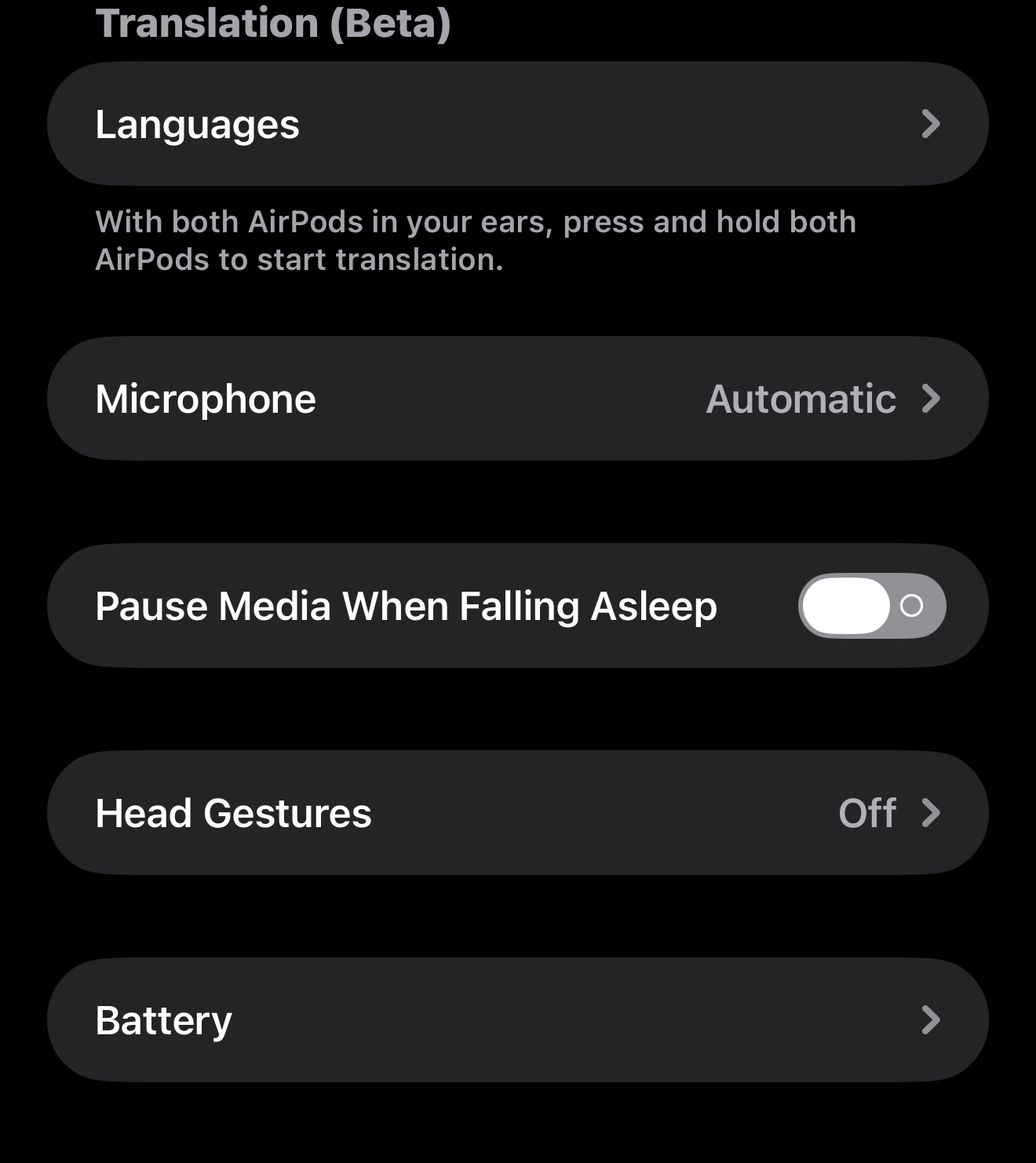
Well, apparently this is a common issue, because Apple has introduced a toggle in iOS settings to “Pause Media When Falling Asleep.” They don’t really tell us how they’re detecting when you fall asleep, but I hope it’s not using the Apple Watch’s sleep features because I really don’t like sleeping with my watch on.

This toggle appears in settings for those with AirPods Pro 2, AirPods Pro 3 and AirPods 4, but it is not on by default.

AI in the CLI

Okay, this one is definitely for us nerdy types out there. We’ve all used some kind of AI service in the past, like OpenAI’s ChatGPT, Anthropic’s Claude, Google’s Gemini, or maybe even Microsoft’s Copilot. We use these guys on the web, but have you ever used them locally via your command line?

In this NetworkChuck video, he shows us how to use AI directly in the command line. He argues that it’s much faster and allows you to do things like keep the context of your chats locally in a folder and file structure.

Gemini CLI, for example, is free and in his video, he shows you how to install it and walks through the process. It can access files, run scripts, and allows you to have context management right from your terminal. But he doesn’t stop there.

He goes on to tell you about the awesomeness of Claude Code. This version of the AI service uses Anthropic’s Claude and does pretty much everything Gemini does, but it’s a little more versatile because it uses agents.

Agents are basically specialized versions of AI that you create. First, you create the agent by giving it the parameters and characteristics you want it to have. Then, you have it only answer questions it is an expert at. For example, you can designate one as an expert at networking, and then have that agent help you design the best home lab. While another agent that you designed to be a travel agent can focus on creating an itenirary for your weekend trip to New York.

He then kicks it up a notch and shows you how to put all these agents together to work collaboratively, finding the most thorough responses for you. It is a very powerful tool.

If you’re into experimenting and trying new things, especially on the command line, I would definitely give this video a look. He goes through it pretty quickly, but you can pause and examine things more closely, then do your own research to get the specifics down before trying it yourself.

I would caution you that these AI tools ask for a lot of permissions to access things on your computer and on the web, and you do have to give explicit permissions, which is a good thing. Although he shows you how to get around these safety nets, I would think carefully about doing so and know that you’re running it at your own risk at that point.

Just be careful and have fun.

Rubber Ducky

What Is A USB ‘Rubber Ducky’?

It’s frightening to know you can plug in a regular-looking USB drive and suddenly your computer is taken over.

Have you ever found a random thumb drive and thought it was your lucky day? Well, after reading this article, you’ll think twice before inserting any random thumb drive into your computer.

Here’s why: these thumb drives can contain malicious payloads. Some attackers intentionally drop thumb drives in parking lots and other public places, hoping someone will pick one up and plug it into their computer to see what’s on it. Security experts call these intentional drops “candy drops” or “baiting attacks.”

When you plug one of these bad boys in, a script runs automatically, and your computer could be compromised. These attacks often use keystroke injection techniques that can enable tools like PowerShell and execute commands that take over your system.

Stay safe and practice smart computing habits. Don’t plug anyone’s thumb drive into your computer, and avoid using random USB ports in hotels or at airports for charging.

You never know what’s on the other side. It might just be a rubber ducky (a device that looks like a normal USB drive but acts as a malicious keyboard when plugged in).

I Bought An M4 iPad Pro Right Before The M5, too

I’m the guy who bought an Apple device right before a new one came out. I don’t regret it one bit

… if you already have an M4 iPad Pro, you shouldn’t worry about buying a new one.

A few weeks ago, I went to buy a new iPad. This time around, I decided to go with the M4 13-inch iPad Pro with cellular, which I love, by the way. I did this despite strong rumors that an M5 version would be coming out soon.

Once the M5 launched, I second-guessed my decision and thought maybe I should have waited the extra two or three weeks and just gotten the new one. However, I’m pretty much in the same boat as Filipe Esposito from Macworld.

Like him, I decided to get the M4 version for a few reasons. First and foremost, I needed the bigger screen iPad, so waiting wasn’t completely an option. Yeah, I could have pushed through and worked around things to make do, but I decided not to.

Second, I got some pretty good deals on it. For one, I got the educational discount, which I could have gotten with the M5 as well, but they also had some other promotions for accessories. I decided to go with the Magic Keyboard and got it almost half off its regular price.

After reading Filipe’s Macworld article, it confirmed what I already suspected: there’s not a lot of difference between the M4 and M5 versions of the iPad.

The screen is the same, the keyboard accessories are the same, the cameras are the same, and the speakers and hardware are all the same. As far as I can tell, the only two things that changed were the M5 chip and the fact that it comes with 12GB of RAM instead of my 8GB. Actually, come to think of it, I think the new M5 model also has Apple’s new modem in it, but again, the current modem in my M4 model works perfectly well.

Despite these upgrades, I don’t feel my iPad is suffering from any kind of slowness. I do everything on it and never wish it was faster.

As an aside, if you’ve never used a cellular-enabled iPad, I highly recommend it. Yeah, it’s a little more expensive and yeah, you have to pay the carriers, but it’s so freeing to just use it anywhere.

Before, I used to tether it with my phone’s hotspot, but that wasn’t always ideal and I had data caps on my hotspots to contend with. With the cellular plan, I get “unlimited” data.

As of yet, I haven’t even been throttled, so I think it really is unlimited with AT&T. Either way, it’s just nice to have one self-contained device, and I’m glad that it’s my M4 iPad Pro.

The Zipper Is Getting Upgraded

The Zipper Is Getting Its First Major Upgrade in 100 Years

The teeth were redesigned, the manufacturing process rewritten, and new machinery developed to attach the closure to garments.

Those days of pesky zippers getting stuck and you having to fight with your kids’ jackets or book bags may have come to an end, if these new zippers become ubiquitous.

No one ever really thinks about the different zippers we use in our everyday garments, but you always notice them when they fail. With these new lighter and more eco-friendly zippers, maybe we can continue to overlook them again. They seem like a pretty cool improvement.

Raspberry Pi Projects

… a credit-card-sized board can power serious ideas, from home automation to robotics and AI.

The Raspberry Pi is one of my favorite tech products out there. The board itself is impressive, but what makes it truly amazing is the vibrant open source community and the projects they support. When I first started with Raspberry Pis, I kept things simple: I installed Raspbian and used it as a low-power desktop computer. I’d throw it in my bag and take it everywhere, whether on vacation or to client support visits, and it served its purpose perfectly.

Some of my favorite projects include

Pi-hole

DNS server with additional ad and tracker blocking.

Volumio

Combined with a DAC hat on the Pi itself, I connect it to my aound system at home and I stream music from my phone or tablet to enjoy great sounding audio.

OctoPrint

Connected to my 3D printer, I can load up a file to print, send it over the network, and have it print out on my printer in another part of the house.

Home Assistant

I have aquite a few IoT devices around the house, like lights and outlets that can all be controlled via the local Home Assistant controller. So, ti doe snot matter that I have internet or not because things just work and they work quickly too. More importantly, it is intuitive enough for the entire family to use.

I’ve even used Raspberry Pi Zero to create portable hotspots for ham radio. All of these projects are well-supported and work great.

If you’re interested in getting started with Raspberry Pi, check out BGR’s article title 10 Best Raspberry Pi Projects To Check Out In 2025 for some more ideas.

"I gave the world wide web away for free"

Why I gave the world wide web away for free | Tim Berners-Lee

I gave the world wide web away for free because I thought that it would only work if it worked for everyone. Today, I believe that to be truer than ever. Regulation and global governance are technically feasible, but reliant on political willpower. If we are able to muster it, we have the chance to restore the web as a tool for collaboration, creativity and compassion across cultural borders. We can re-empower individuals, and take the web back. It’s not too late.

Tim Berners-Lee had a vision of interconnecting information through links. He persistently championed this idea until his bosses at CERN allowed him to pursue it. He realized that if people could publish anything on the web, they could publish everything on the web. To make that possible, he had to keep it free or no one would use it and his idea would die on the vine. So he convinced his bosses to relinquish their intellectual property rights and give away the World Wide Web.

Then companies moved in, and something that was free transformed into silos they controlled and eventually monetized. This is what Cory Doctorow describes and labels as the “enshittification” of the web.

First, they offer things for free and draw the consumer in. Then they start selling your data to companies and advertisers. Once those companies become dependent, they turn on them as well. It’s a lose-lose situation for everyone except the big players and platform owners.

Now, with AI vacuuming up everything on the web, these resources are being consolidated, potentially making things even worse for Tim Berners-Lee’s original vision. I hope he’s right when he says we still have time to avoid making the same mistake again and prevent AI from further degrading the web with “AI slop”.

Do More With Your iPhone's USB-C Port

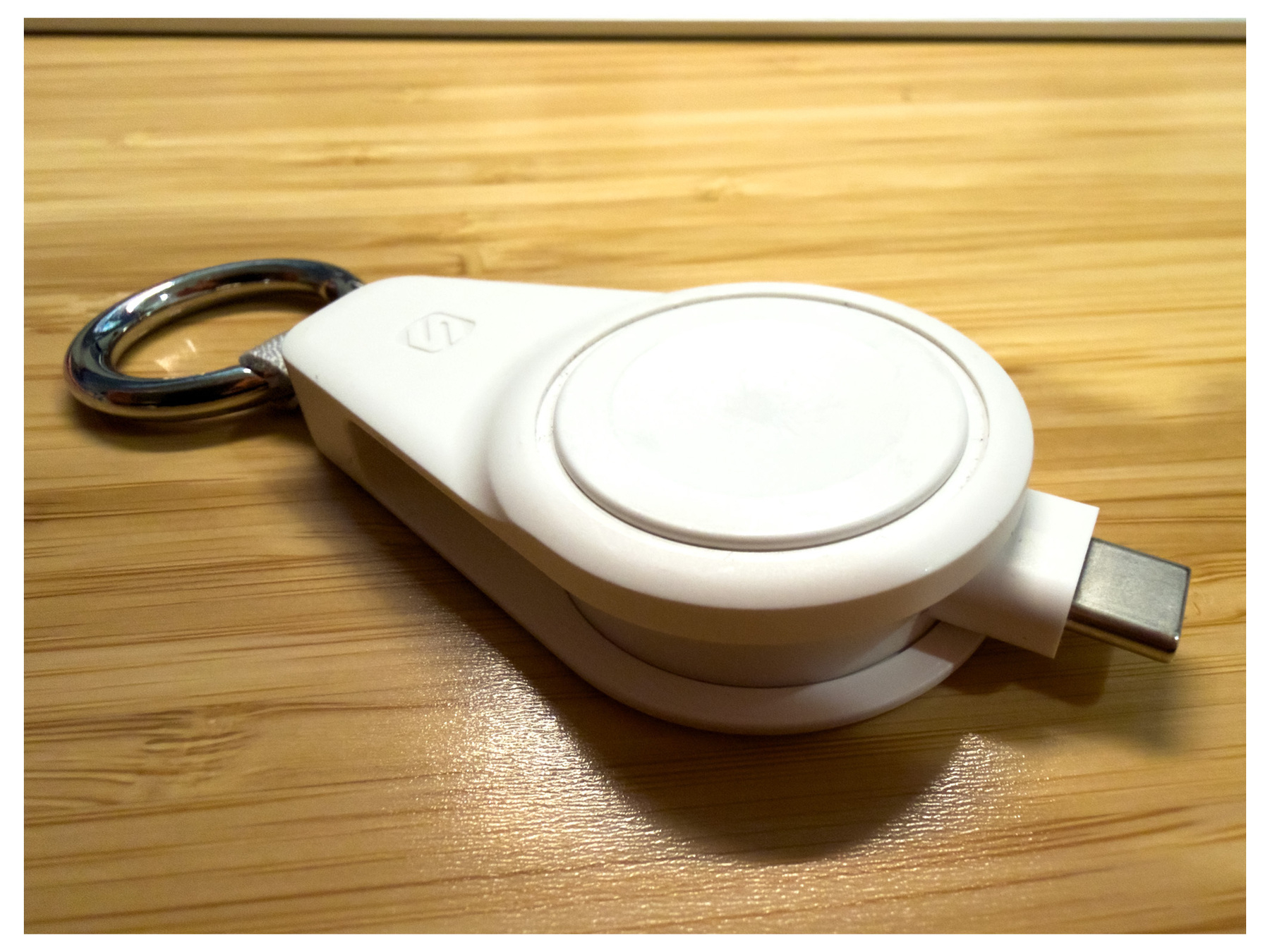
BGR wrote a great article on different uses for your iPhone’s USB-C port besides charging. For example, you can connect a wired keyboard to your phone and start using it without any further configuration. Or you can hook up an external hard drive or USB thumb drive to transfer or even back up some of your files while on the go. It might be the faster or only option at times. They even suggested plugging in a wired game controller, but my favorite suggestion was to plug in and charge your low-power devices like AirPods or Apple Watch on the fly. In fact, I have a pretty cool Apple Watch travel charger to do just that. It gets you out of a pinch, for sure.

Not mentioned in this article, but something else I have tried in the past, is plugging in a USB ethernet adapter to connect directly to a network and run a couple of diagnostic tools. Fun stuff. I have also connected USB-C hubs to power multiple devices and even output video over HDMI to an external monitor. I guess the sky is the limit. When in doubt, try it out.

Follow Me On Mastodon | Buy Me A Coffee