Mastodon

Posts in "apps"

Just downloaded the Halide app on my iPhone and was playing around with their MKIII Preview when I saw this beam of light coming in through my window. I set the app to Process Zero, tilted my phone a bit and took this shot. It reminded me of a light saber from Star Wars, which I thought was pretty cool.

After I took the shot, I touched it up a bit within the Halide app (film grain and all) and came up with the final product above. Going to keep playing around with it and see what other photos I can make.

#Halide #App #iPhone #Photography #ProcessZero

How I Vibe Coded My First App

I am lucky to work in a school system that provides lots of materials for me to use with my students. However, sometimes I am left looking for resources that are strategically tailored to meet my students’ needs that day. While I can usually search the web for ideas, I often cannot use them because they are not aligned with our standards, require a purchase, or are simply not that great to begin with.

Having that itch to scratch left me looking for a “backscratcher” I can call my own. So, I started looking into creating something to meet these needs and benefit my students. But where do I find someone who can help me create my own thing that I can use, free of charge (except for the time I dedicate to it) and, more importantly, guide me through the process? I am no programmer by any stretch of the imagination, but here I am wanting to create my own solution that is tailored to what I want. It cannot be a universal, one-size-fits-all kind of deal. No one is going to take the time to hold my hand while I figure this stuff out. Maybe I can’t find someone, but maybe there is something that can do that?

Well, everyone is talking about A.I. lately and how great it is or how horrible it is, depending on their point of view. I am sure the truth lies somewhere in between. Why not give that a try and see if it can help me achieve my goal.

I started my journey by taking what I had learned on the various podcasts I listen to or the books and articles I read daily and delved into Claude Code. I felt like the proverbial blind men feeling the different parts of an elephant and describing it to each other.

I virtually knew nothing about it. I knew that it was a product by Anthropic and that it was AI. However, I had no idea how to use it, let alone what it was capable of.

I started by reading everything I could about it. Then, I learned how to install it on my Mac via the terminal. I tried it, but it stopped me right away because I did not have a paid Claude account. That was my first stumbling block. I had to go in and sign up for the Claude Pro plan. Once I continued the process, it asked me to log in. I did that, and it was pretty easy. So far, so good.

Now that I had it installed, I ran it by typing “claude” in my terminal. It greeted me with more questions on permissions, folder locations, and so forth. I followed the on-screen prompts, and somehow, I got to a blank terminal window with Claude welcoming me. It asked me to create a folder for the project I wanted to work on. I had no idea what to work on, so I tried several things before landing on the one that I wanted… no, the one that I needed to work on.

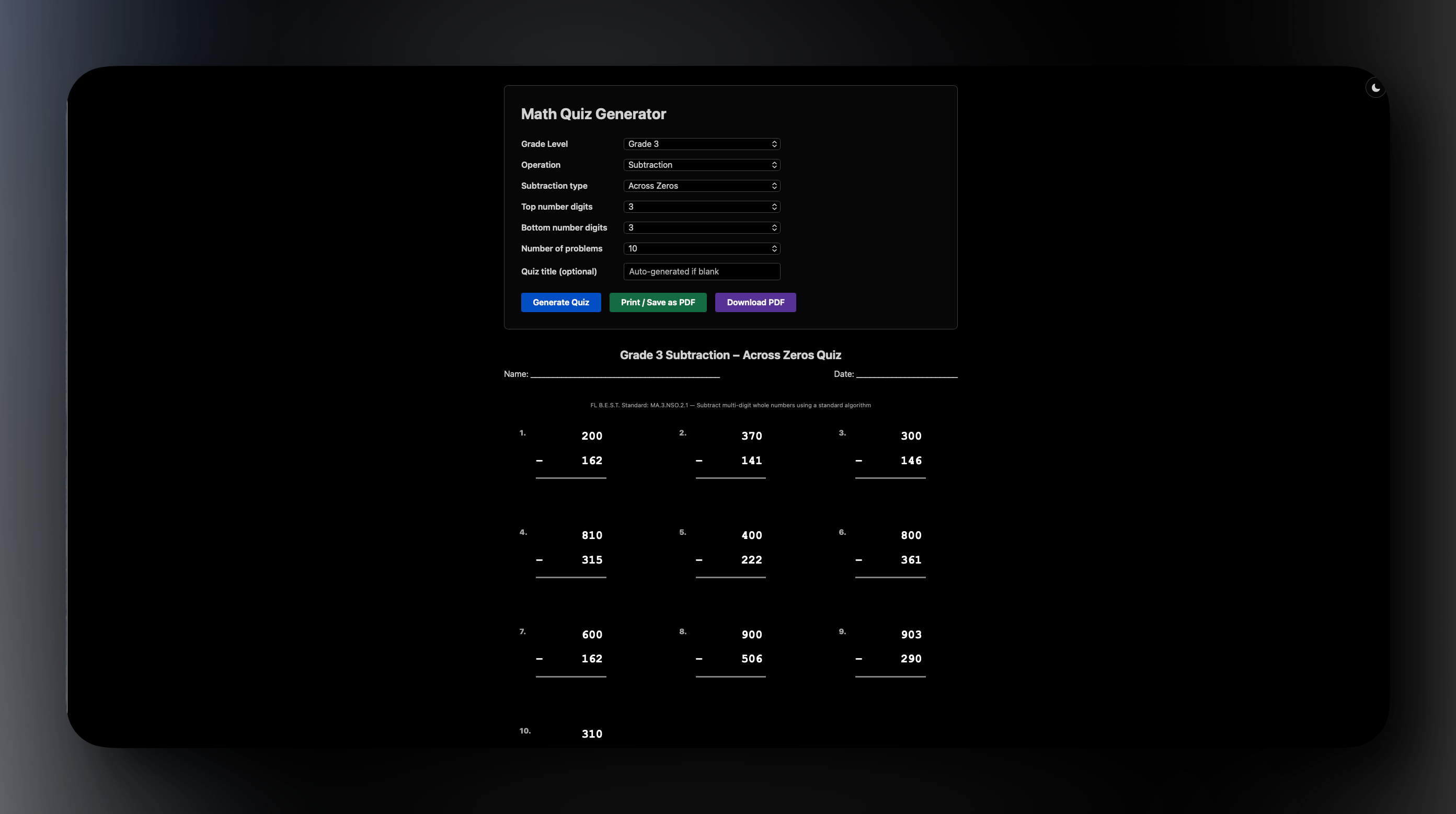
Remember that I wanted to find something tailored to my students? Well, in this particular case, I needed something that would provide them with more practice subtracting three digits from three digits, specifically across zeros. For example, **600 - 256 = ? ** and the like. Consequently, I started telling Claude what I wanted in plain English, trying to be as specific as possible so it gave me what I wanted, not just what it thought I needed.

After going back and forth for a bit (ok, ok… a few hours), I narrowed it down to making a Math Quiz Generator that teachers, parents, and even students could use for practice math problems. I didn’t just include subtraction problems because I figured making all four basic operations available would be beneficial to my students and whoever else wanted to give it a try.

Long story short(er), I ended up “vibe coding” my first app. It serves a legitimate purpose, aligns with our educational standards, is easy to use, shows various kinds of math problems on screen, and can print or save them as a PDF. Since my goal was to try and make something for my students, the whole thing is made free for them to use on the web. The only cost was the $20 I had to pay for Claude Pro.

Come to think of it, it is probably going to cost a lot more because now I want to make more things for them to use and help them succeed by practicing what they need.

I am pretty excited about the possibilities now that I have seen what I can make with the help of AI. I still don’t come close to considering myself a programmer any more than I consider myself an author because I can write a blog post. However, if more people can harness the power of these tools to make better, customized tools for their benefit or the benefit of others, then I think we are in good shape. The future looks brighter than what some people make it out to be.

#Education #EdTech #AI #ArtificialIntelligence #VibeCoding #Math #App

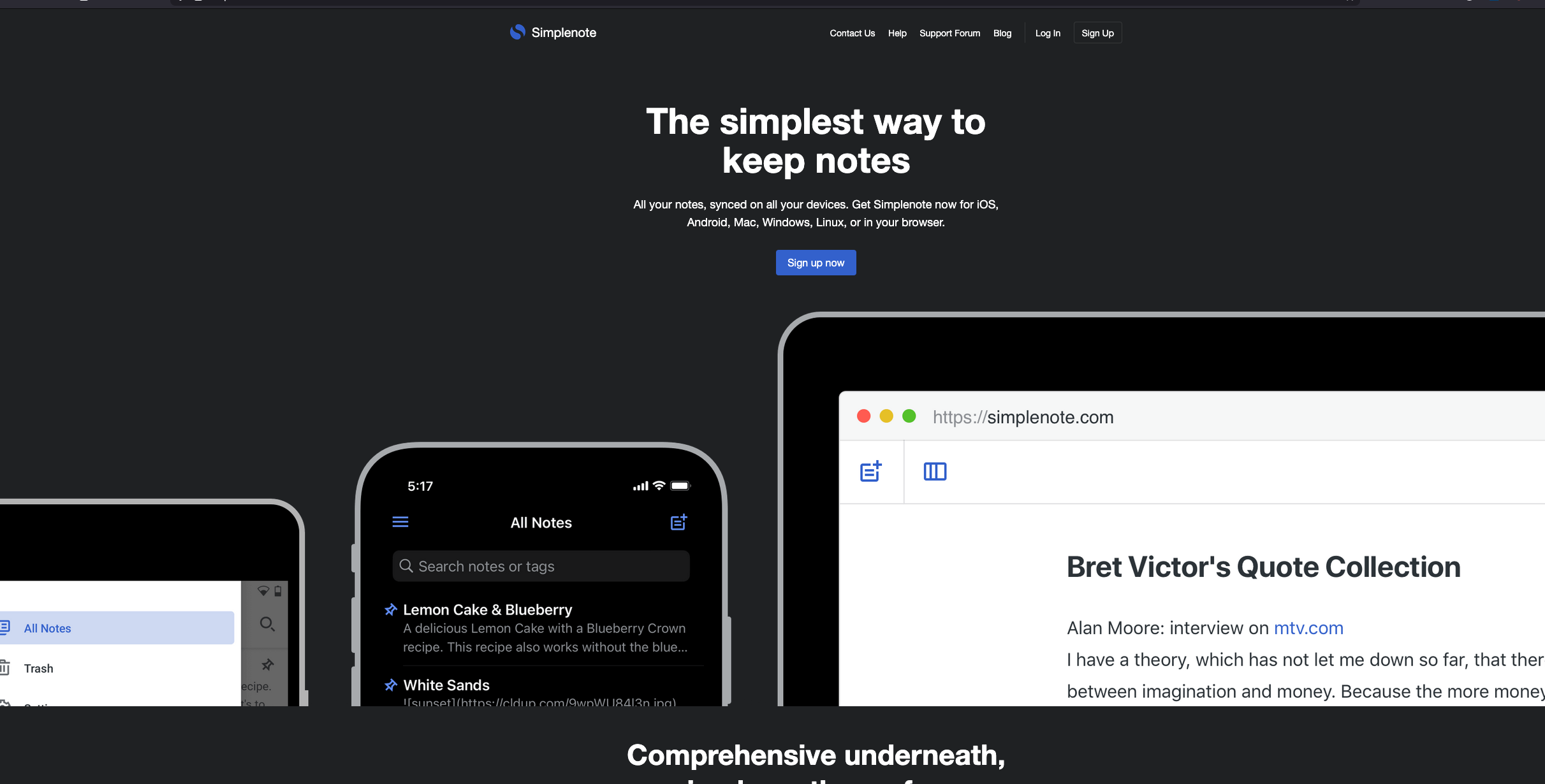
Revisiting Simplenote

I decided to re-download Simplenote and give it another shot. I wanted to see if it could fit into my current workflow, especially given its reputation for speed and simplicity.

What I Like

  • It lives up to its name. It is refreshing to use a tool that is genuinely simple.
  • No bells and whistles. It is strictly for creating notes. There are no distractions to get in the way of writing.
  • Fast sync. The syncing across devices is incredibly quick.
  • Markdown support. I can write in Markdown, which is a must for me these days.
  • Truly cross-platform. It works on all my devices: Mac, iOS, Windows, and Linux. I am actually writing this using the web version right now, but I have my iPhone next to me to test out the syncing as I edit.
  • Tag support. Organizing notes with tags is straightforward and effective.
  • Markdown preview. You can preview your formatted text easily. On the desktop, it is Ctrl + Shift + P. On iOS, I really like being able to swipe from right to left to show the preview. It is a smooth and responsive feature that is well-implemented.

What I Don’t Like

  • Lack of encryption. I don’t believe the notes are encrypted at rest.
  • The editor is very basic. The Markdown editor doesn’t highlight syntax or support inline previews like other apps such as Bear or Obsidian. You have to toggle a separate preview mode to see how things look.
  • Sustainability concerns. Since the core product is free, I wonder about the long-term sustainability of their business model.
  • Corporate ownership. It is owned by Automattic. They own WordPress, Day One, Pocket Casts, and others. While they are a stable company, I generally prefer supporting smaller independent developers when I can.
  • Text expansion issues. For some reason, the web version I was using did not let RocketTypist expand and paste my snippets, which slows me down. Worked fine in other apps on myu Mac.
  • Privacy tradeoffs. This is the big one for me. Messages are encrypted in transmission but not at rest. Technically, the Automattic staff could access my notes if they wanted to. Worse than that, if their servers ever get hacked, my notes would be exposed.

#NoteTaking #Simplenote

Getting Reacquainted with Homebrew

I’ve been diving back into Homebrew today. I installed it a while ago but never really used it. I’m still learning the ropes, but I’ve made some progress by installing a few packages and experimenting with them. Here’s what I’ve added so far:

  • htop
  • glances (a bit more graphical than htop)
  • wget
  • tmux
  • git
  • bundle
  • mas (for Mac App Store)

I’ve created a Brewfile and successfully updated all my apps, including those from the Mac App Store and macOS itself. All while using the command line in iTerm2. The cool thing about a Brewfile is that it acts like a snapshot of my setup. I can use it to update all my installed apps at once, which is pretty convenient. Even better, if I ever get a new Mac, I can install Homebrew, point it to this Brewfile, and recreate my entire setup automatically. I haven’t tested that scenario yet, but I plan to keep this file current so it’s ready whenever I decide to start fresh with a clean system.

Feedbin

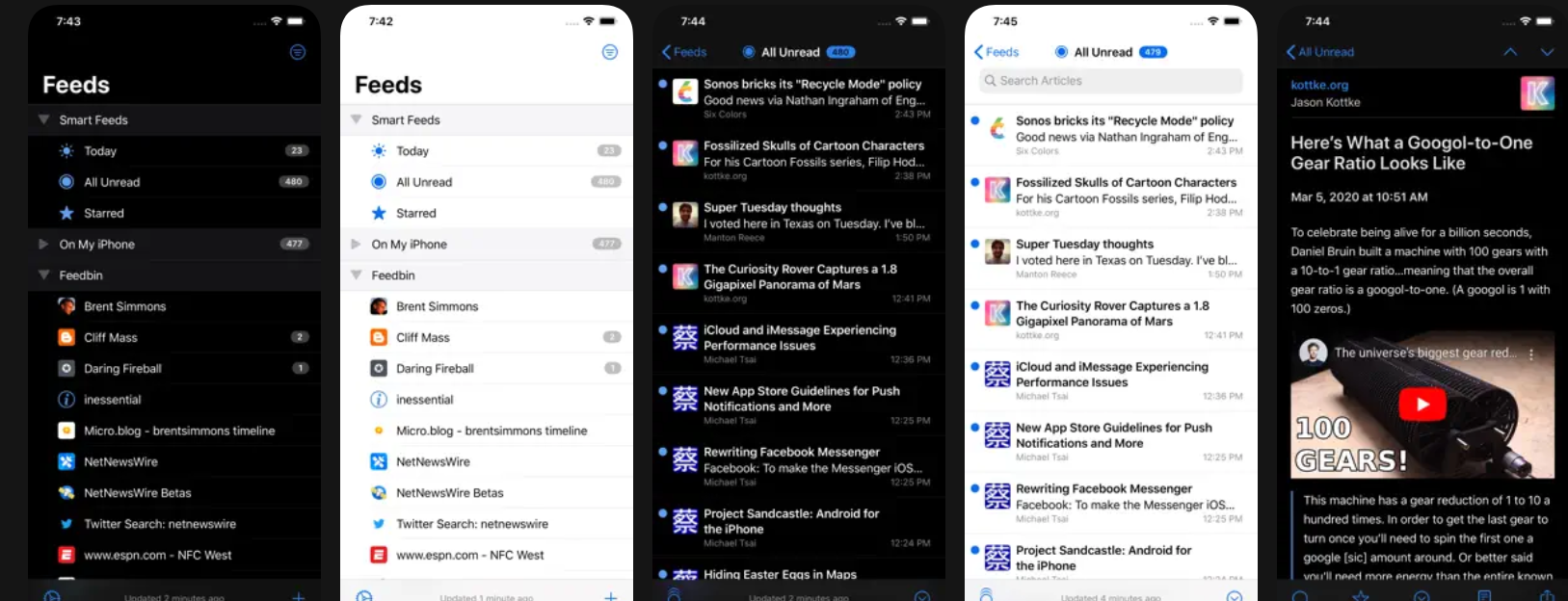
As I’ve mentioned before, NetNewsWire has been my favorite RSS reader. They’ve had a small hiccup with their recent update, but it was not a huge deal. Regarding accessibility, it no longer recognizes my three-finger swipe to move to the next article. I found a workaround by tapping and holding with one finger, then swiping. This fixes the problem for me, though it’s not as fluid as the three-finger swipe I was used to.

My bigger issue with NetNewsWire was iCloud syncing. On my phone, it worked perfectly since I use it daily. However, on my iPad, where I only check occasionally, it never synchronized smoothly. It took forever, and for a while, it wouldn’t sync at all. At one point, it showed the last sync was three months ago. I deleted the iCloud-related feeds, deactivated the account, and rebuilt everything from scratch. It claimed to sync afterward, but no new articles appeared in the feeds.

Frustrated, I searched for alternative RSS readers but found none that fit my accessibility needs with text-to-speech. At least, none I preferred over NetNewsWire.

Then I saw someone mention Feedbin, a complete RSS service with its own app. I’m trying it out with their 30-day free trial. So far, the synchronization is spot-on. I still prefer NetNewsWire’s interface over the Feedbin app, but I haven’t had any sync issues across my devices. It’s incredibly fast too.

Feedbin has become my new source of truth, via NetNewsWire. I imported my feeds using an OPML file exported from NetNewsWire. Once I brought everything into the system, it just worked. Now, it does cost $5 per month or $50 per year, but if it works for me, I’m happy to pay. I’m a firm believer in paying for tools that help you get things done while supporting the developers who create them. Free options always worry me because I never know how long they’ll last.

Beyond speed and ease of use, Feedbin offers a perk that iCloud and NetNewsWire alone don’t: a unique email address for newsletter subscriptions. This brings newsletters directly into my RSS feed, so I can read them alongside my other news sources throughout the day. Pretty neat.

Since I already had a newsletter email set up, I created a rule that automatically forwards anything sent to that address to my unique Feedbin email, then deletes it from my email client. Everything happens in the background—I never see newsletters in my inbox, but they appear in my RSS feed. It’s great all around.

I’m still on the 30-day trial, but I’ve already entered my payment information. Unless I find a showstopper, I’ll be subscribing to Feedbin as soon as the trial expires.

NetNewsWire 6.2

Of all the RSS reader apps I’ve tried on my iPhone and iPad, I love NetNewsWire the most. It’s been the most accessible option for me since I use VoiceOver to have it read article titles and content aloud. Then version 6.2 came out.

The update includes a whole list of improvements in the changelog, which sound great. The most popular addition seems to be Markdown support in RSS feeds. I don’t know why people are so excited about this feature, but it’s there. I’ll probably look into it more later.

However, in the meantime, the update has broken the app for me in some ways. I can still tap on something to hear the article title, and I can have it read the entire article once I double-tap to open it. But here’s the problem: I used to swipe three fingers from right to left on the screen to move to the next article. In this version, that gesture doesn’t work anymore.

Now I have to tap this tiny “next article” arrow in the top-right corner of the screen. It’s a really small target for me to hit, which delays the process and makes reading less comfortable. I hope the next update (hopefully coming very soon) will restore the three-finger swipe gesture for navigating to the following article.

Chat Folders on Signal

Signal, the private messenger, posted that they will now support Chat Folders. Now we can organize our different chats into groups like family, friends, work or even projects. I think this is a great addition to Signal. I plan to make use of this feature as soon as I see it available on my apps.

Neo Network Utility 2.0

I’m always on the lookout for great apps that make my life easier. I recently discovered one from DEVONTechnologies, one of my favorite companies and the makers of excellent apps like DEVONthink.

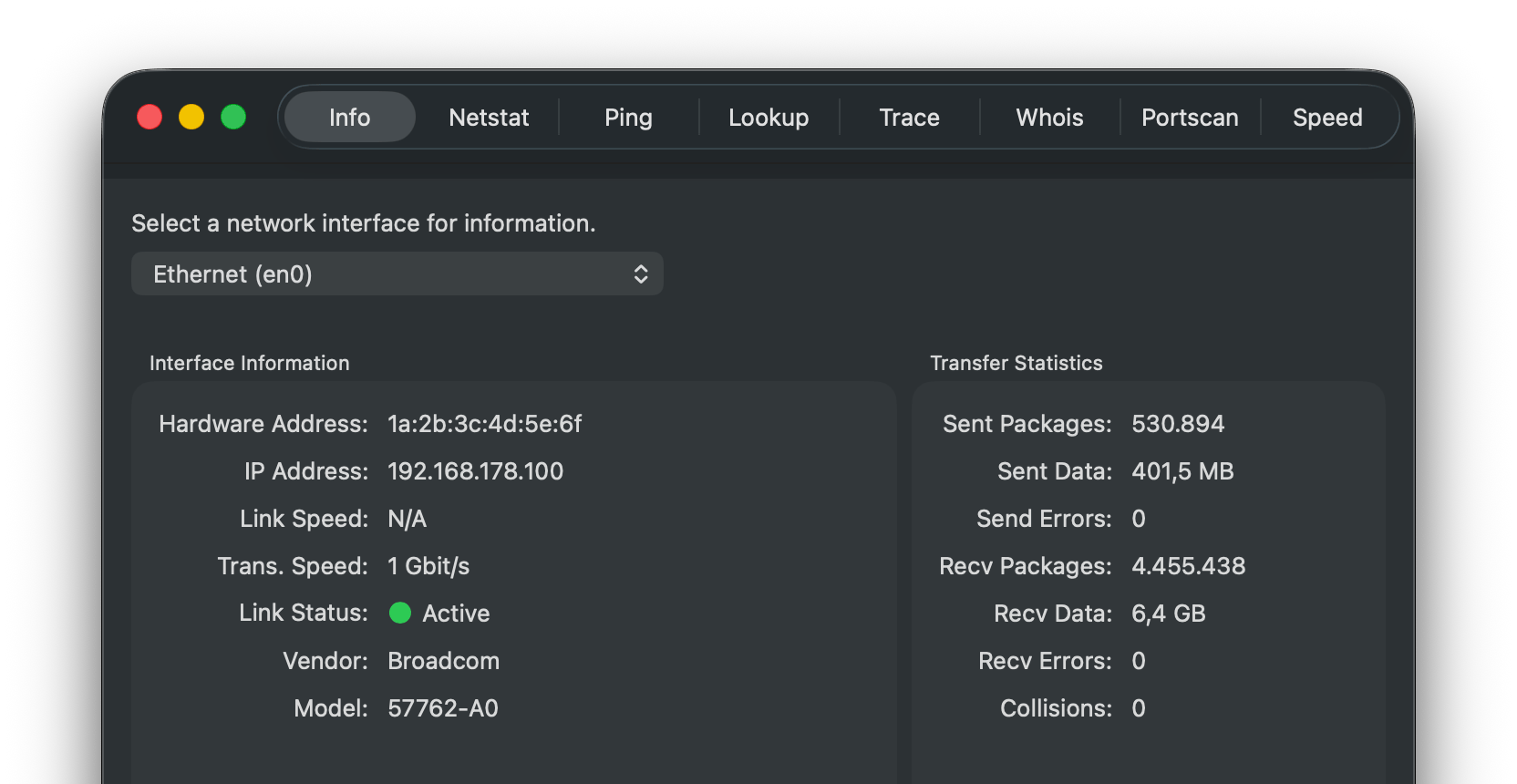
This utility is packed with features that are incredibly useful when diagnosing or testing things on your network. It’s called Neo Network Utility 2.0, and it’s essentially a graphical user interface for many of the diagnostic tools and informational properties you might need. 1

For example, there’s an Info tab that lists all your network adapters for wired and wireless connections. It provides information like the MAC address for each adapter, shows you which one is active, and if you’re looking at a wireless connection, it even displays the SSID.

You can view Netstat information, ping remote devices to verify they’re reachable from your machine, perform lookups for different IP addresses, and run Whois queries to see the registration information tied to specific domain names.

One of my favorite diagnostic techniques is running a trace route to see where a connection starts and stops. This helps me verify that traffic is flowing from point A to point B as expected. If it’s not, I know exactly where to start troubleshooting.

Another invaluable tool is the port scanner. You can scan your local machine or a remote machine you’re troubleshooting. For instance, if you want to confirm that your Plex server is listening on port 32400, a quick scan will tell you immediately. If it’s not responding, you know where to begin your diagnostic procedure.

Last but not least, I use the built-in speed test all the time. While I typically rely on fast.com or speedtest.net, having one built right into the app is incredibly convenient. It may not be as flashy, but the information I need is clearly displayed, and that’s what matters.

Overall, it’s a fantastic app, and the best part? It’s 100% free

A network interface information window displays details such as IP address, link speed, link status, vendor, model, and transfer statistics for an Ethernet connection.

Pocket Alternatives

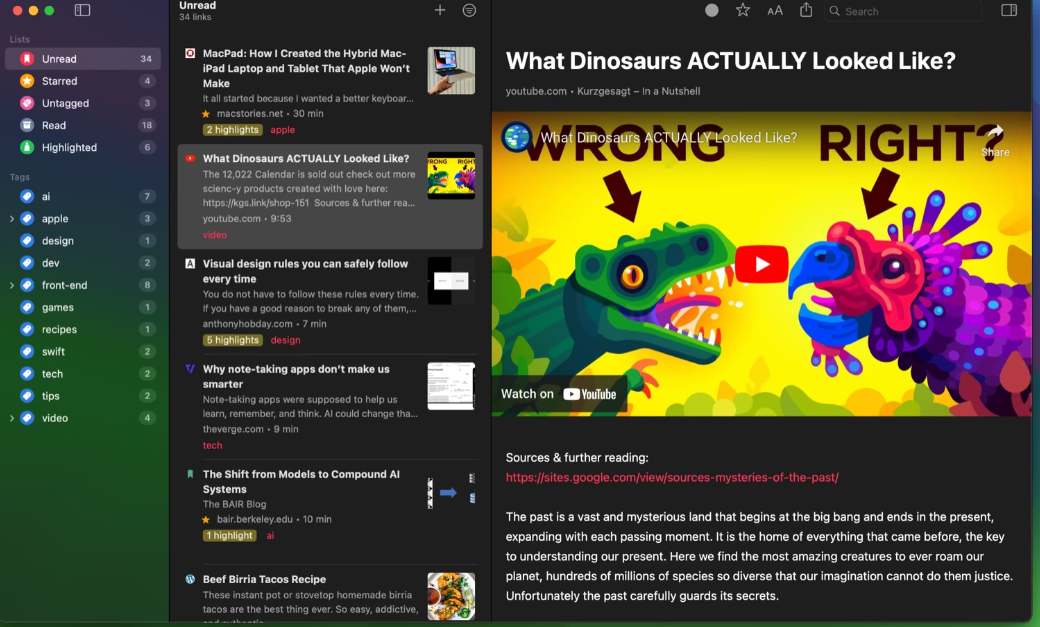
Auto-generated description: A list of highlighted articles is shown on the left, while a colorful illustration of two dinosaurs, accompanied by the text What Dinosaurs ACTUALLY Looked Like? from a YouTube video, is displayed on the right.

Whether you’re looking for a brilliant Pocket substitute or are new to the read-it-later game, these iOS apps will serve your reading needs well.

Now that Pocket, the popular read-it-later service, has shut down, Macworld published a helpful article covering some alternatives. Of all the options they listed, my favorite is by far GoodLinks.

It’s super simple to use. GoodLinks is a universal app that works seamlessly across my iPhone, iPad, and Mac. You don’t even need to create an account to start using it because everything syncs across your devices using iCloud.

The interface is simple and intuitive, keeping the focus squarely on the article itself. The readability is amazing: clear, clean, and just a pleasure to use.

Once I’ve saved articles to read later, I can organize them into different categories. If I decide to keep an article, I can highlight the parts I’m most interested in and add notes. GoodLinks then shows me just the highlights and notes for each article, making it easy to review key information. It’s fantastic.

The app also offers customization options for light mode, dark mode, and even a sepia theme. While I haven’t explored this yet, it also provides Siri shortcuts, which I plan to check out soon.

If you subscribe to certain publications that have a paywall, you can log into those sites through GoodLinks, so you don’t lose access to the premium content you’re already paying for.

I love that it doesn’t require an account. By design, it’s completely private, meaning GoodLinks doesn’t track which articles you’re reading or collect any of the data that other services typically gather.

Finally, my favorite feature is the fully accessible voiceover support. I can load up an article and have it read to me, which is perfect for multitasking. I love this app and highly recommend it.

Follow Me On Mastodon | Buy Me A Coffee