Mastodon

Kagi Shortcuts

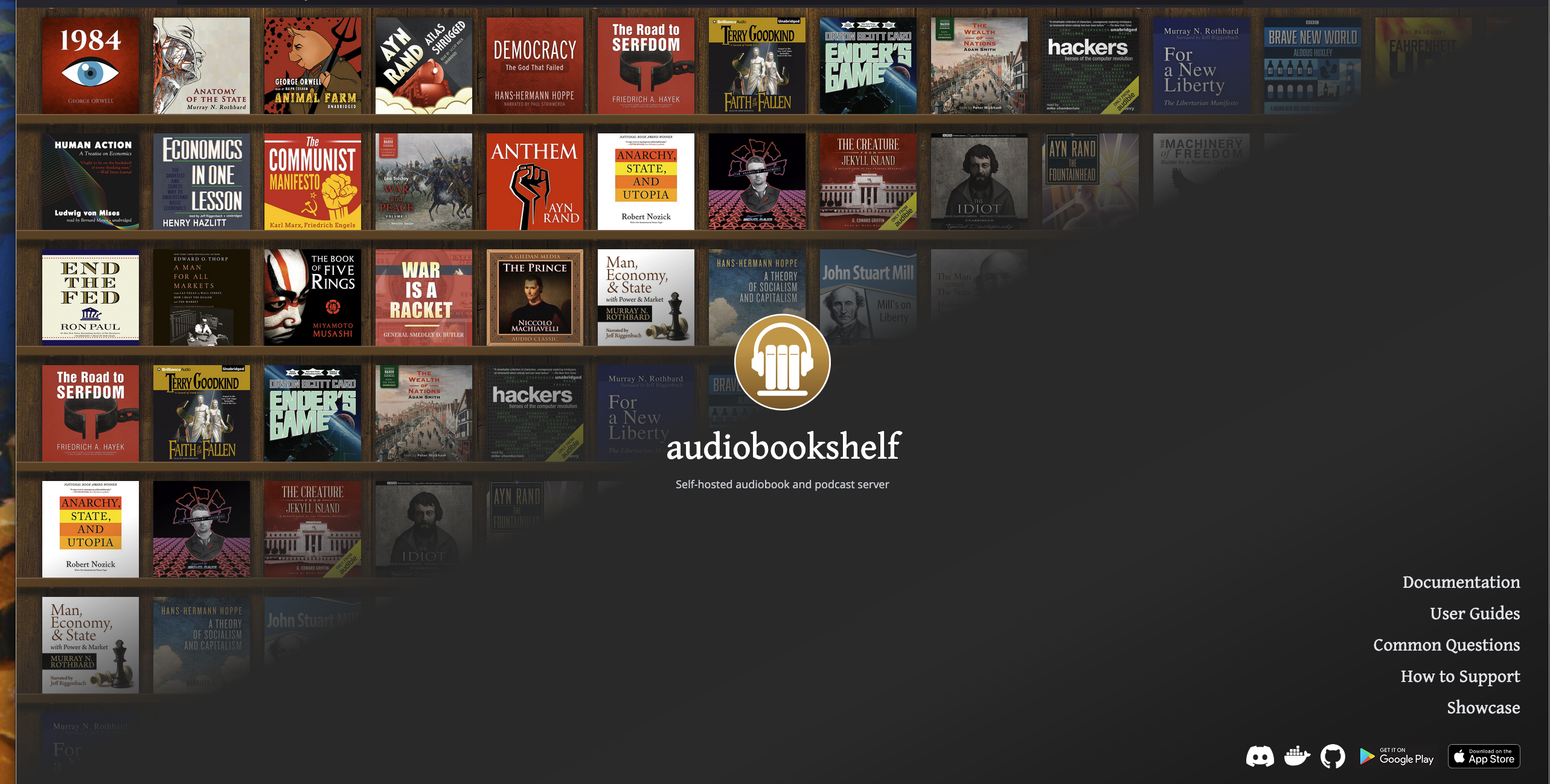
I moved to Kagi as my default search/AI engine a few days ago and I am still finding out new ways to use it better. So much fun! If you are one of those users (like me) that likes to keep their hands on the keyboard instead of moving over to a mouse/trackpad to do things, then check out all of the keyboard shortcuts it offers right on the browser… any desktop browser. Not sure about iOS. I know they have a Kagi app for Android that may have all of these capabilities, but the iOS app is forthcoming.

It does not stop there, either. Check out their Search Operators and Query Shortcuts & Widgets, too. If you want to try it yourself, I recommend starting off with the free 100 search trial to see if it is a good fit for you. Don’t subscribe unless you are really sure it is going to be worthwhile.

Ottis

The “official greeter” at a small vinyl record store in downtown Augusta, Georgia.

A large white dog with distinctive dark spots is lying on a leather couch next to a person.

Privacy Is Not Free (and maybe it shouldn't be?)

Note: This post was originally published on August 10, 2025. Due to technical issues, it was deleted and I am publishing it again today.

We all like free stuff, but maybe we shouldn’t. Like many people, I loved gmail and google search when it first came out and used it for years. Then, a few years ago, I stopped to think about why these great products were free. What’s the catch? Well, I was. I agreed to use their products for free and in exchange, they took my usage history, search queries, and don’t forget cross site tracking, I’m sure. Then, sold it to whomever they chose to after building a nice Doug profile package.

First, I dropped gmail and went to a paid email service and it felt good. Great customer service and lots of features, like rules, folders, easy import from other services, DNS management, etc. Anyway, I switched over to them and couldn’t be happier. I still stuck with GOogle search.

A couple of years after that, I started considering the privacy of my searches. Not that I search for anything nefarious. Mainly things like user manuals, device drivers, reference to making ethernet cables, and other boring stuff. Things that many of us may search for on a regular basis. Either way, it is no one’s business but my own. So, I played around with SearxNG and self-hosted it as well as put it up in the cloud. I tried it both ways, but ended up just preferring it locally. Overall, it was pretty good, but Google and other search engines still seemed to provide more relevant results.

Recently, Google search results have been abysmal for most things I search. They try to make it convenient and give you everything right up front, but I just want links to go to and pick and choose the information I am looking for. It is supposed to be a “search” engine, after all. Not an answer engine, right? If I want quick answers, then I use one of the many AI companies out there or one of the open source local models I have downloaded in LM Studio. This nudged me to go hunting for something better. Something that would give me good results for what I was looking for and had privacy at its core. That turned out to be Kagi for me. Kagi gives me the great search results, control over the results it provides, a beautiful clean interface, and so much more. Not to mention their AI Assistant that lets you choose from a lot of the major models like ChatGPT, Claude, and Mistral, among others. I am new to it, so I am not an expert, but I do know that it is not just hype. They seem to deliver what they promise, so far.

It doesn’t seem like I am the only one that feels like this, either. Check out some others below.

There’s an (oversimplified) axiom that if a good or service (like Google search, for example, or good ol' Facebook) is free for you to use, it’s because you’re the product, not the customer. With Google, you pay with your attention, your behavioral metrics, and the intimate personal details of your wants and hopes and dreams (and the contents of your emails and other electronic communications–Google’s got most of that, too).

audiobookshelf

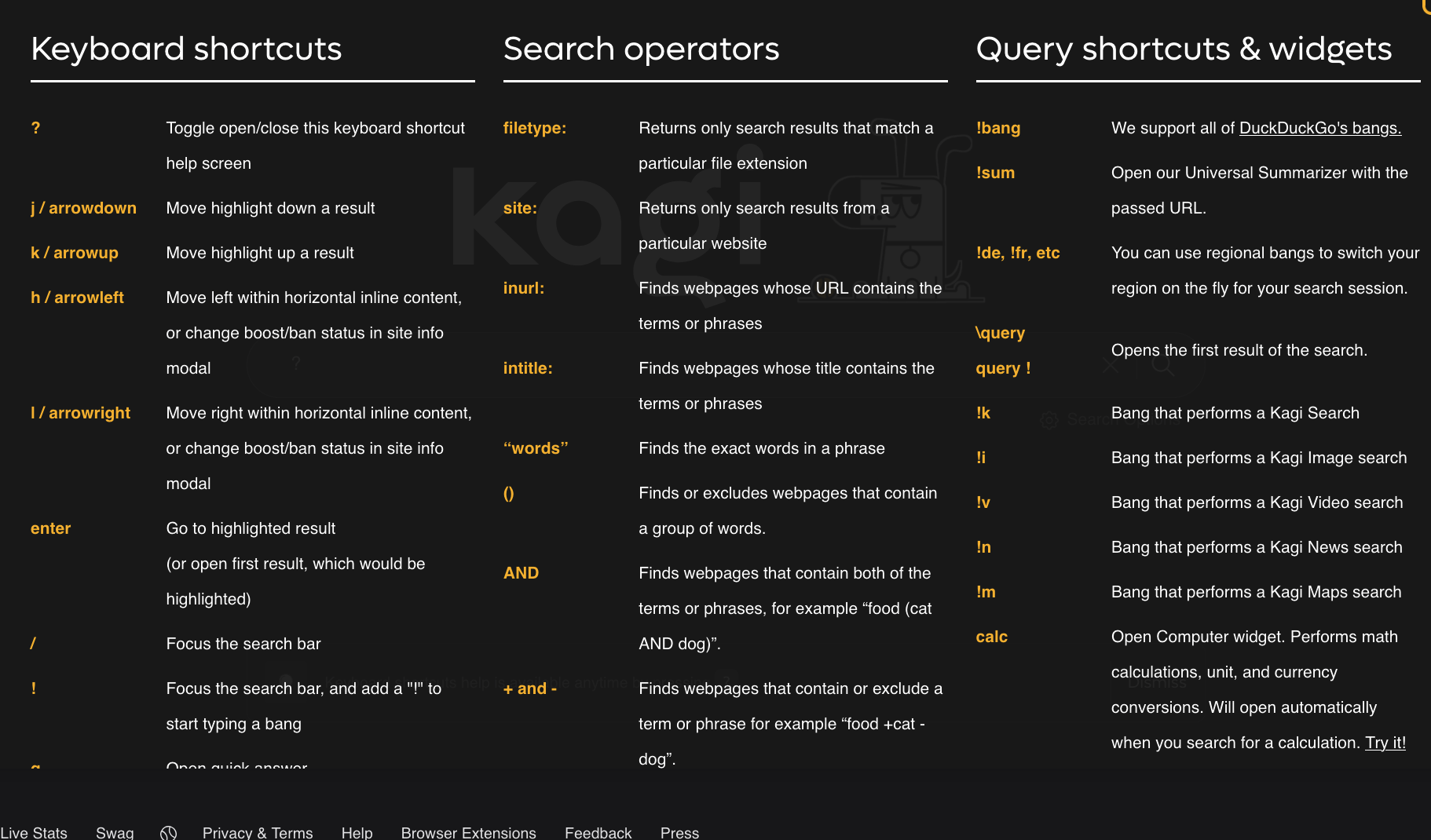
If you are lucky enough to own all of your audio books in a DRM-Free format, you should really try out audiobookshelf. You will not be disappointed.

If you have already tried it and are using it, chime in and tell us what you think of it, what you like and dislike about it and any tips and best practices for new users.

Voice Cloning

Why AI-based voice cloning is the next frontier in social-engineering attacks.

I’m sure we’ve all heard of phishing scams or, unfortunately, experienced them ourselves. At work, you might even receive “training” emails designed to see if you fall for them by clicking on a malicious link. If you do, the IT department might send you to participate in additional training to avoid these in the future. Just when you thought these were scary or just annoying, something even more dangerous and frightening exists that make these email scams seem quaint.

These come in the form of deep fakes enhanced by AI. Essentially, someone can record as little as three seconds of your voice and then use an AI company like ElevenLabs, or the like, that can turn regular text into speech that sounds just like you, including the little ticks and pauses we all tend to have. Combine this with a frantic-sounding voice on the phone, calling you or someone you love and asking for money or other sorts of private information because they are supposedly having an emergency. At that moment, you may doubt the authenticity of the voice but go along with it anyway because you are scared and unsure if you were just being paranoid. Then, you give them everything they asked for without taking a moment to think whether you should do it or not. This is when they “got” you!

These scammers prey on and count on human emotion and turn it into your Achilles heel. Don’t let them! In the age of AI, you have to question things, trust your instincts a little bit more, and pause just a little longer than usual because even the most grounded people can succumb to a temporary lapse of judgement, especially during a time of weakness like when you are exhausted after a long day of work, lack of sleep, or other life stresses. It can happen to any of us.

Larry Magid wrote about his Voice Cloning nightmare back on May 5, 2023. This is the first I had heard of such a thing and it stopped me cold. Read his blog post.

You can also read the original Ars Technica article that inspired my post, if you want more information.

Apple: The First 50 Years

In time for Apple’s 50th anniversary, “CBS Sunday Morning” correspondent David Pogue tells the iconic company’s entire life story: how it was born, nearly died, was born again under Steve Jobs, and became, under CEO Tim Cook, one of the most valuable companies in the world. The 600-page book features 360 full-color photos, new facts that correct the record and illuminate Apple’s subversive culture, and 150 fresh interviews with the legendary figures who shaped Apple into what it is today.

You know… I’m a fan of history and I’m also a fan of technology, especially Apple products. My favorite, and maybe because it was my first, has always been the “Sunflower” style G4 iMac. It was so beautiful and elegant.

So when I heard that David Pogue was coming out with a book about Apple’s first 50 years, it definitely caught my attention . I did a bit more digging and discovered that it’s going to be a coffee table style book, packed with history and pictures, featuring new interviews with the likes of Woz, and spanning over 600 pages. I figured… “why not?” and pre-ordered it.

It won’t be released until March 2026, which conveniently aligns with Apple’s actual 50th anniversary in April. I have a feeling it will be worth the wait. I’ll have to wait until next year to find out for sure, but I’m optimistic.

If you’re interested, you can check it out at the book’s official site. There, you can pre-order from various places, including Amazon, Target, and bookshop.com, among others.

Navigating Life with Low Vision

If you, or someone you know has low vision, you may want to take a look at this book… “Navigating Life with Low Vision” website Amazon

Although, I have not read it myself, it seems to be pretty comprehensive from the video review below. Odd that it is offered in regular print, large print and Kindle versions but not in audiobook format. Maybe it has a lot of illustrations that don’t translate well to audio? I am guessing that is it.

Be My Eyes & Amtrak

Be My Eyes is a company that started back in 2015. Their primary mission: to help visually impaired and blind individuals by offering real-time video conferencing. It’s a lifeline for those who need an extra pair of eyes to navigate the world. As someone who’s visually impaired, I have to admit, I’ve never used their service personally. I’m incredibly lucky to have a wonderful wife who’s always there to help me with everything I need. But let me tell you, Be My Eyes sounds like a life-saver for anyone looking to gain a bit more independence.

Now, they announced a pilot program where they will partner with Amtrak to continue assisting visually impaired and blind commuters. This partnership aims to help navigate train stations with better support. I hope it succeeds, so it can expand and be offered nationwide, as it is currently just a pilot program.

Blind and low vision passengers can now connect with trained Amtrak agents for real-time help, like navigating stations, finding platforms, reading signs & more.

Read the announcement here.

Retavis RT97L Repeater

Our family loves going camping and spending some time outdoors.  Most of the time, our cell phones work pretty well, even if it is just to text each other.  However, sometimes, there is absolutely no signal at all where we go.  This is great because we get to play radio.  Although some of us have a ~ham radio license~, not all of us do.  So, we just switch over to ~GMRS~, which only requires a single license for our entire family.  Most of the time, the GMRS radios work great because we are relatively close to each other while exploring.  However, other times we get on our bikes and wander.  It is during these times that we need a little boost in our comms.  So, an elevated repeater would serve us greatly.    

Jason’s (KM4ACK) video of the ~Retavis RT97L Repeater~ really sparked some interest for me.  I will definitely be checking it out.  

Retevis RT97L GMRS Repeater – Key Specs:• Higher power than previous models• Fully GMRS-compatible (462 MHz repeater channels)• Built-in high-isolation duplexer• 12V DC or AC power options• Compact, portable, and IP66-rated case• Lightweight: just under 8 lbs• Plug-and-play with included programming.

Use RSS

As an Apple user and an Apple One subscriber, I have access to Apple news where I can read and listen to my heart‘s content. However, I don’t. Instead, I choose to use RSS as much as possible. That way, I can create my own custom “newspapers“ and go through hundreds of articles a day while reading only 10% or less of the ones I’m really interested in.

Molly White’s article explains what RSS is and some great ways of using it, way better than I could ever, but our sentiments are the same. Check it out here.

As a visually impaired person, a huge shout out goes to her because she also offers her newsletter articles in audio form, as a podcast. To make things even better, she doesn’t use in AI generated voice or anything. She actually reads them herself. Thank you so much for that, Molly.

Go out there and start using RSS today! Although there are numerous RSS readers out there, my favorite for the Mac and iOS is NetNewsWire.

Follow Me On Mastodon | Buy Me A Coffee